Hide Baseline Dates in Job Assistant Using ReadyTeam

This demo showcases how to hide baseline dates within Readyteam to streamline your project views.
Go to app.readyteam.ai
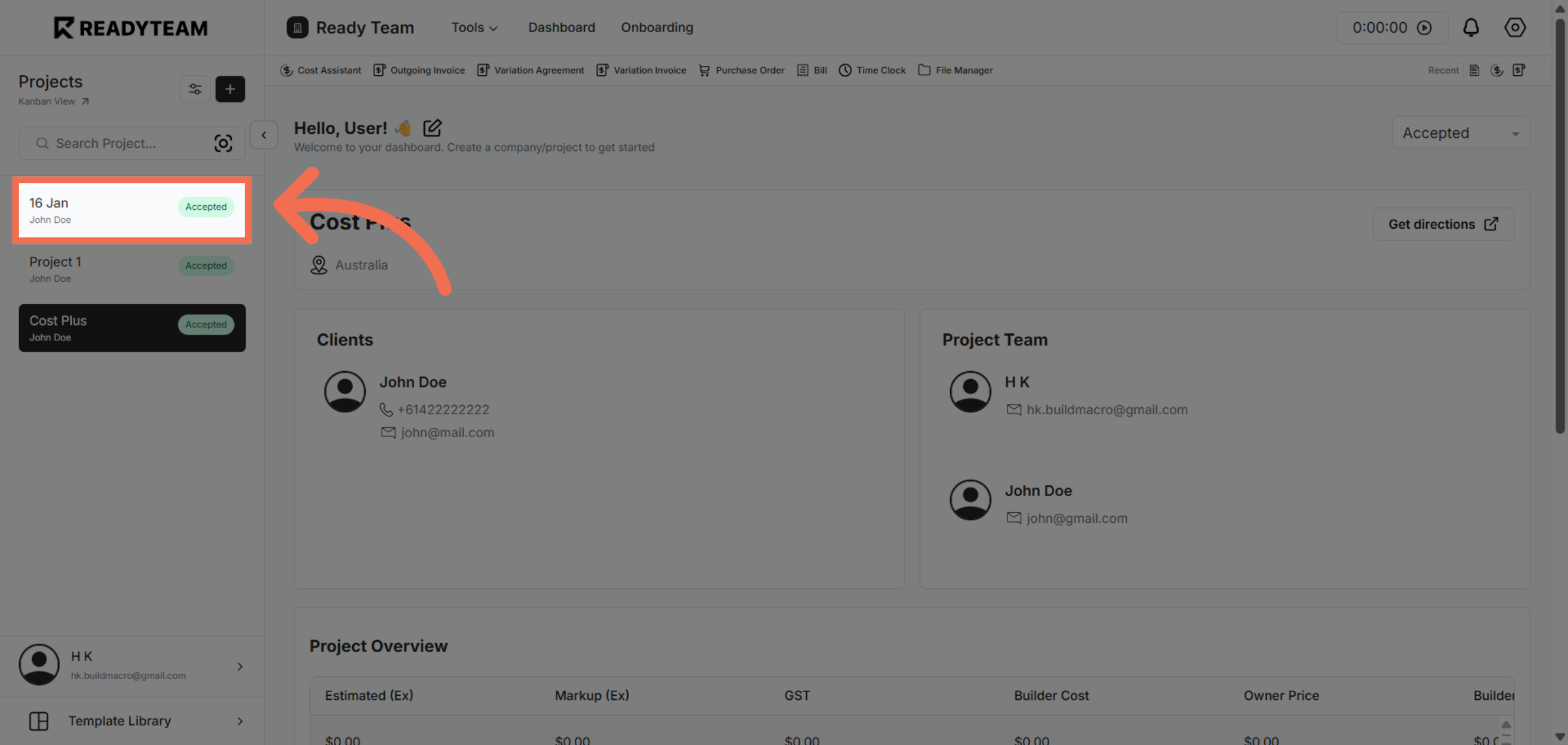
1. Select Project
Click the Project to begin adjusting visibility settings.
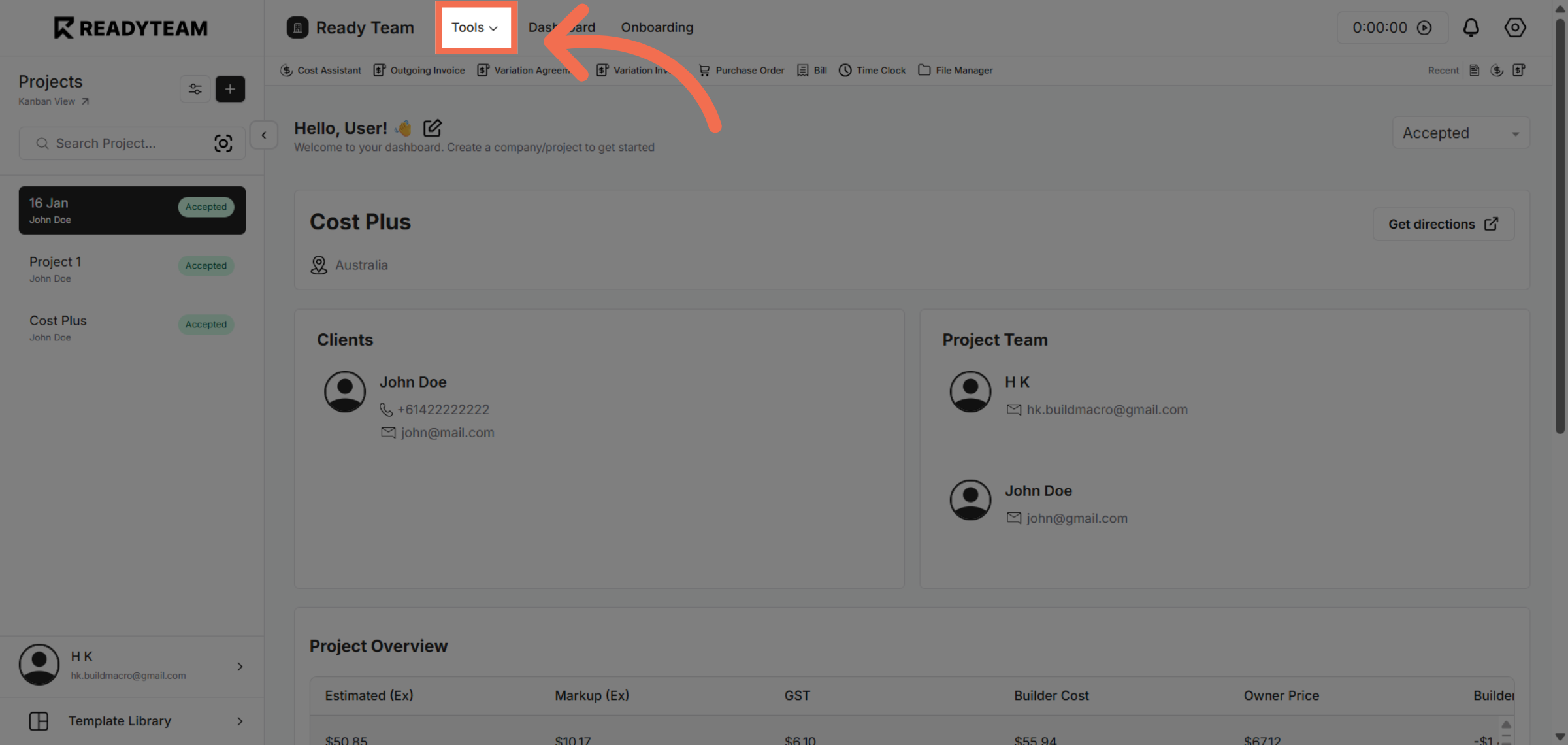
2. Open Tools Menu
Click the settings icon to access configuration options related to baseline dates.
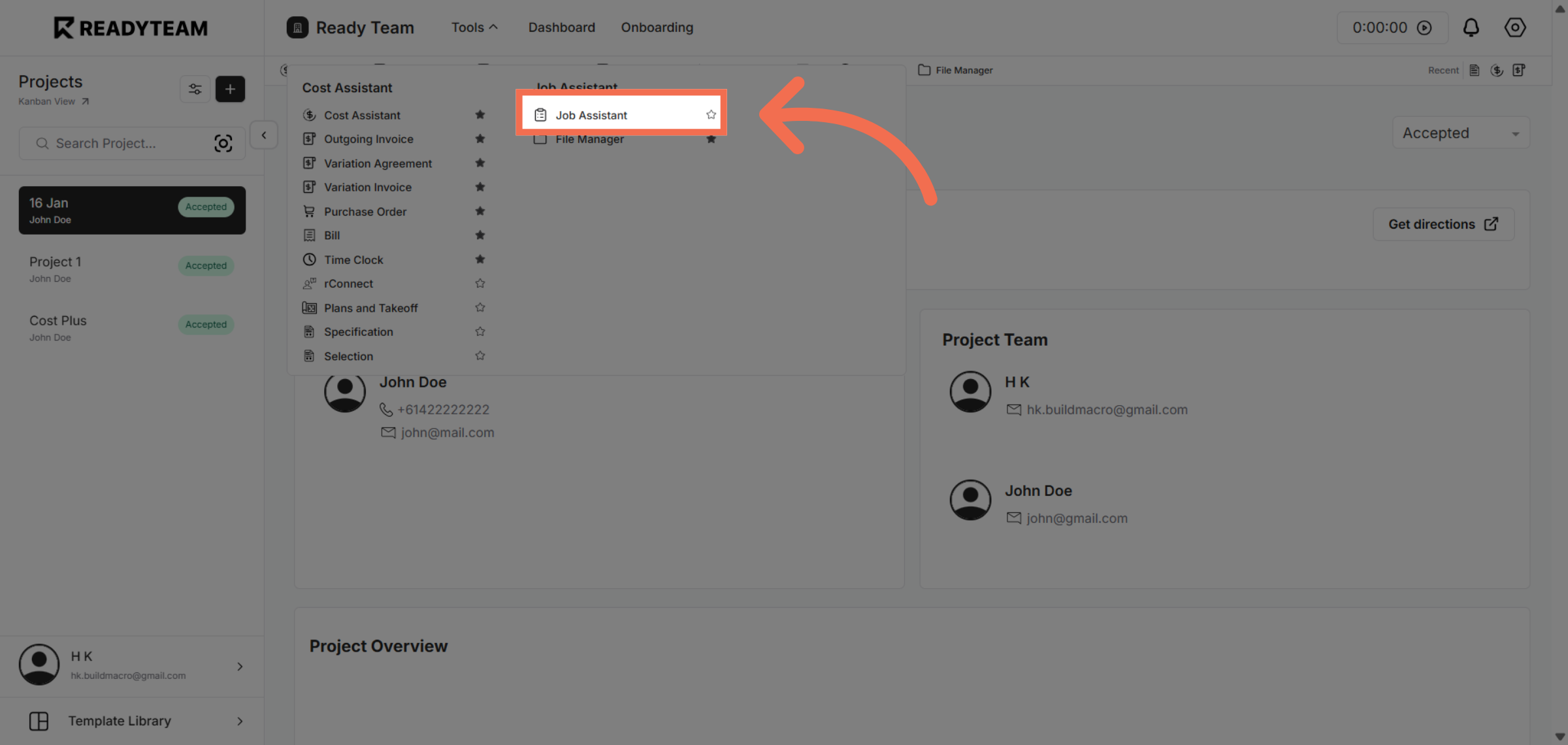
3. Choose Job Assistant Option
Click the Job Assistant feature to manage job-related display preferences.
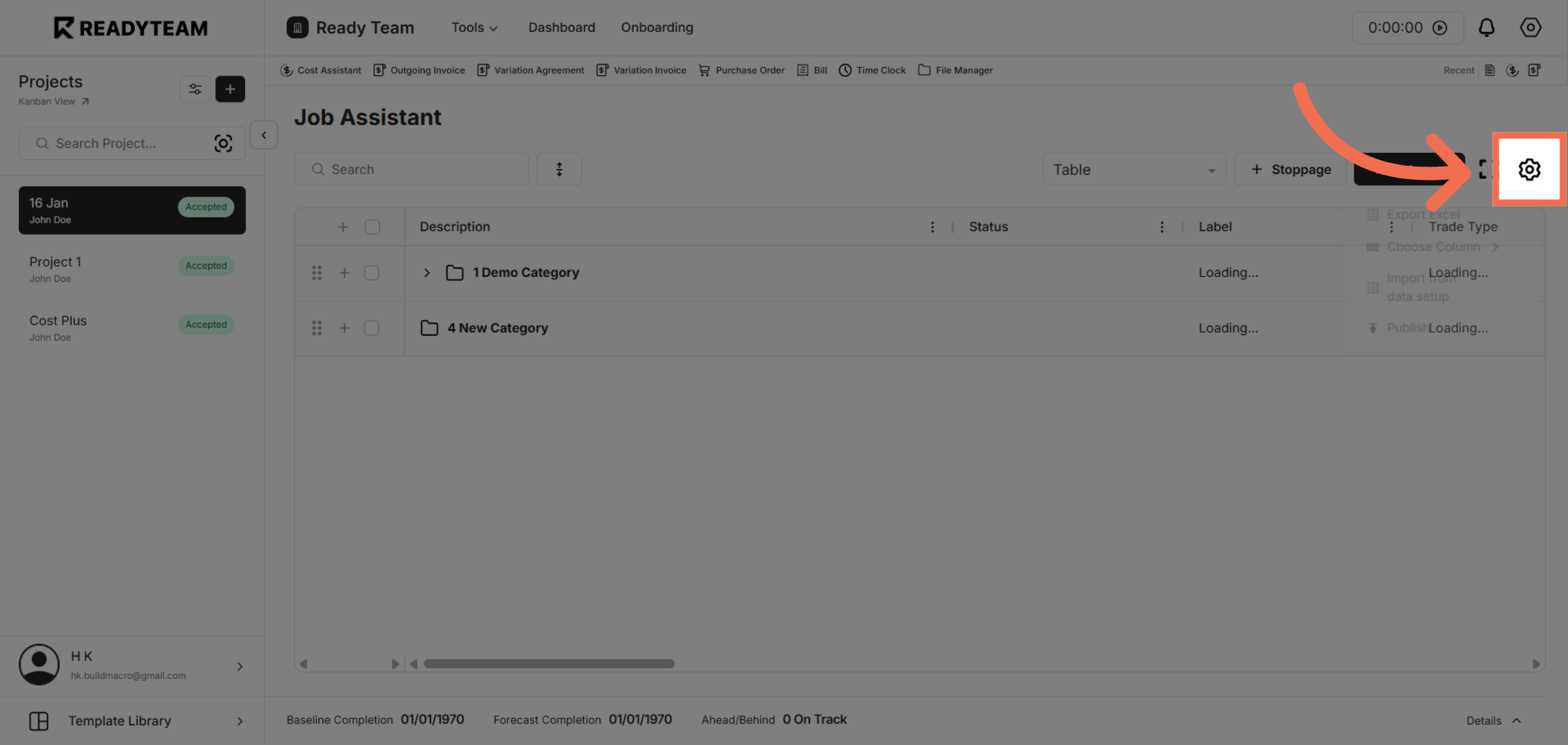
4. Access Display Settings
Click the display settings area to modify how baseline dates appear in your view.
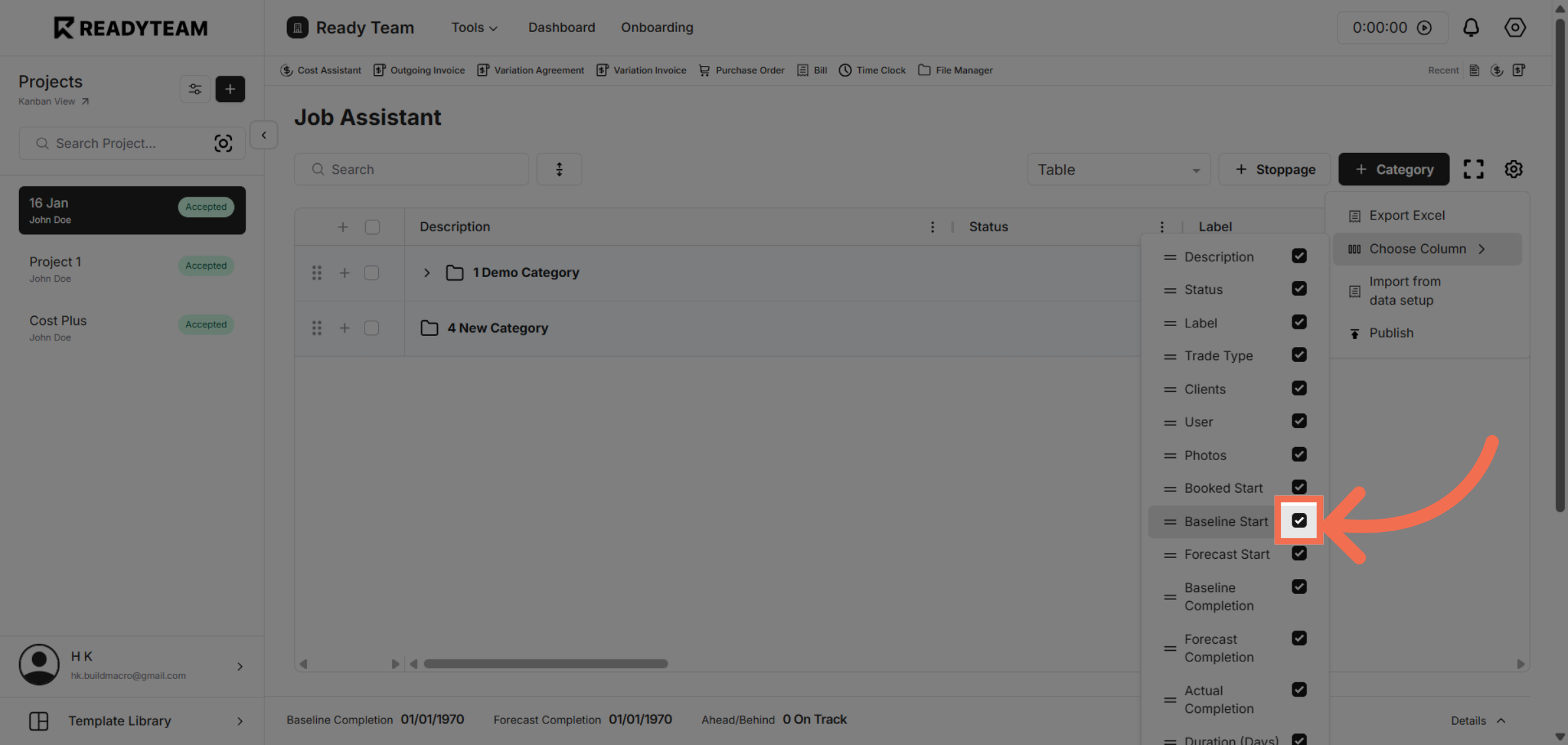
5. Toggle Baseline Start Date Visibility
Click the toggle switch to turn baseline start date visibility off.
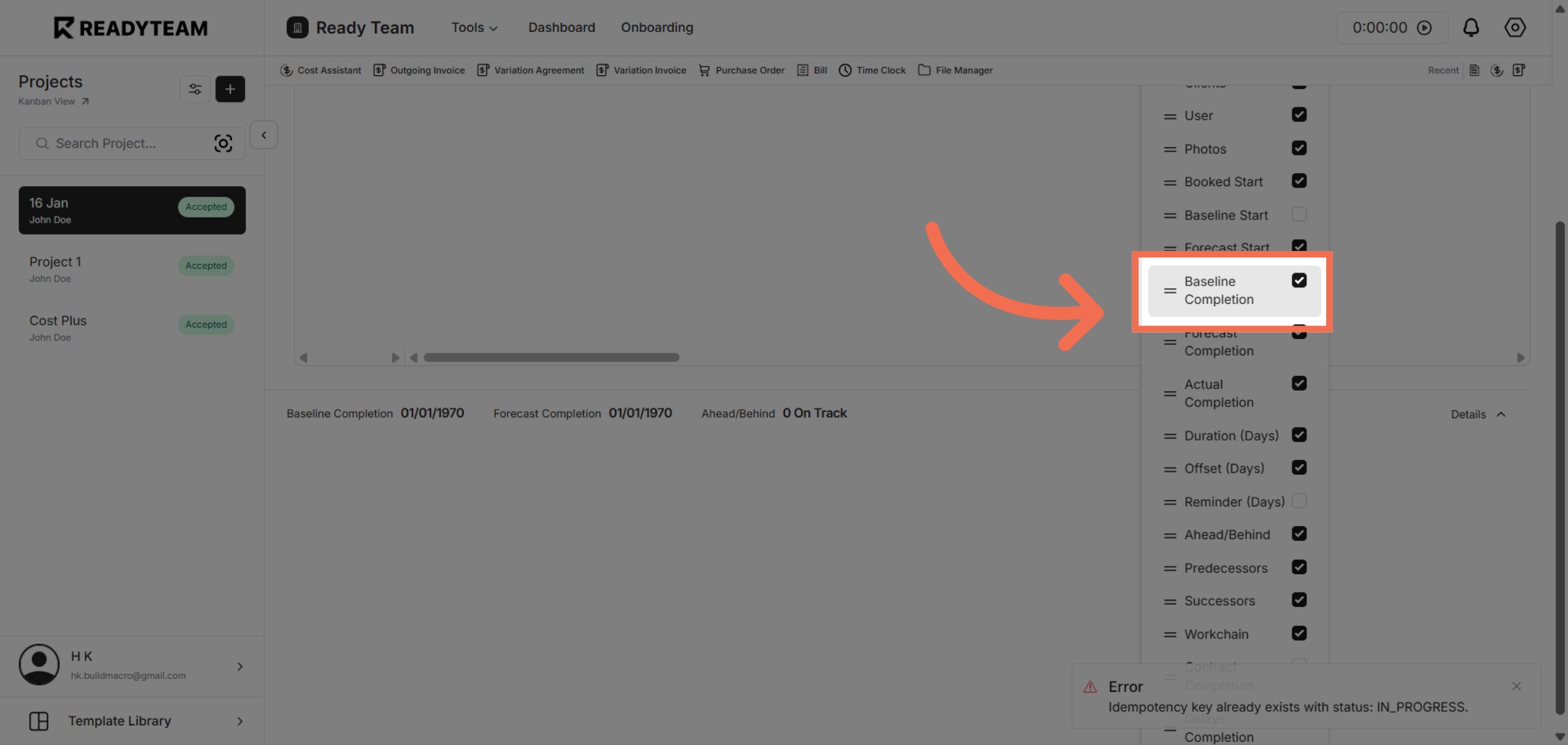
6. Toggle Baseline Completion Visibility
Click the toggle switch to turn baseline completion date visibility off.
You have successfully learned how to hide baseline dates in Readyteam, enhancing your project management experience. Adjusting these settings helps you focus on relevant timelines and improves overall workflow clarity.