How to Create a New Category in Cost Assistant ?
This demo showcases how to create a new category within Readyteam to organize your data effectively.
Go to app.readyteam.ai
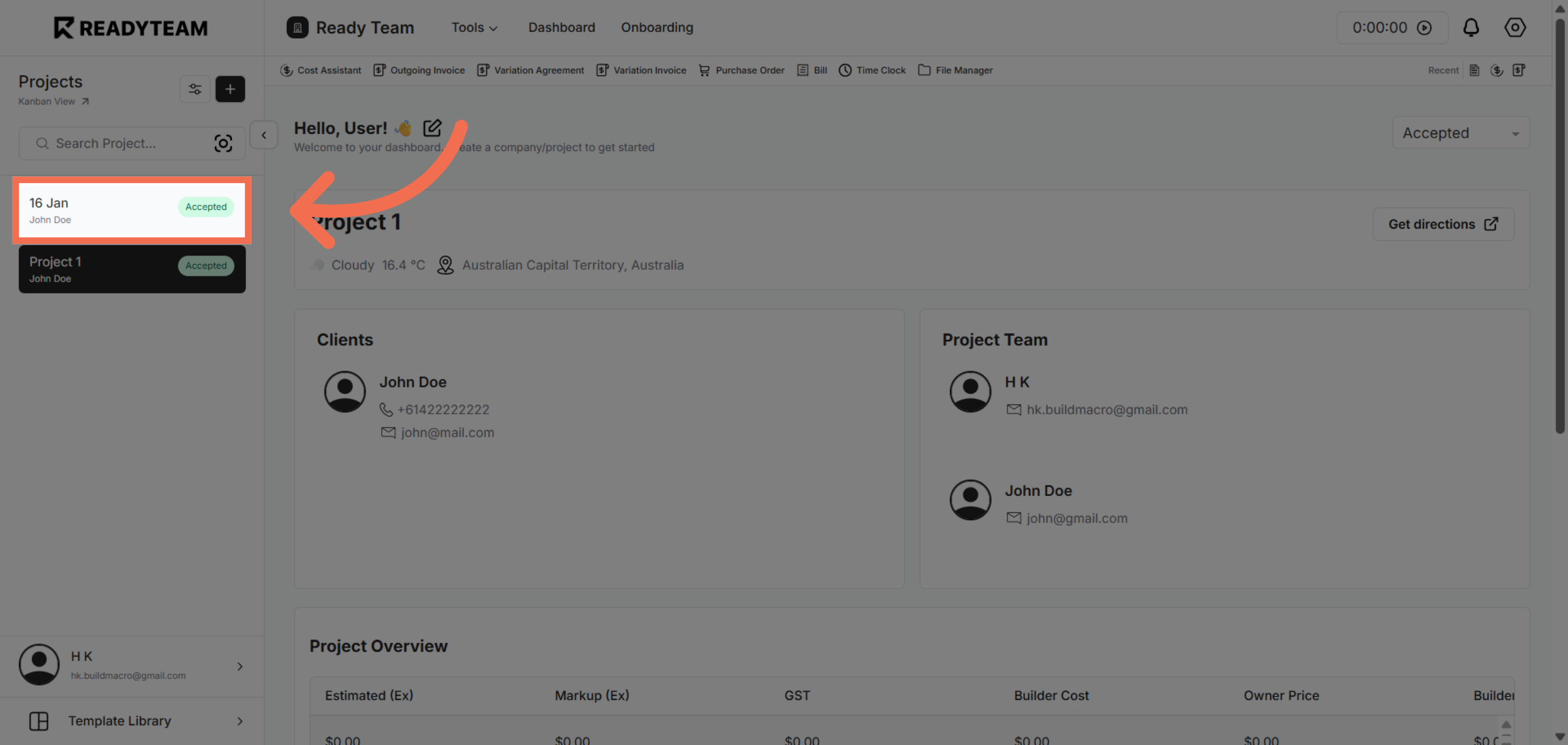
1. Select Project
select specific project to begin managing categories in cost assistant.
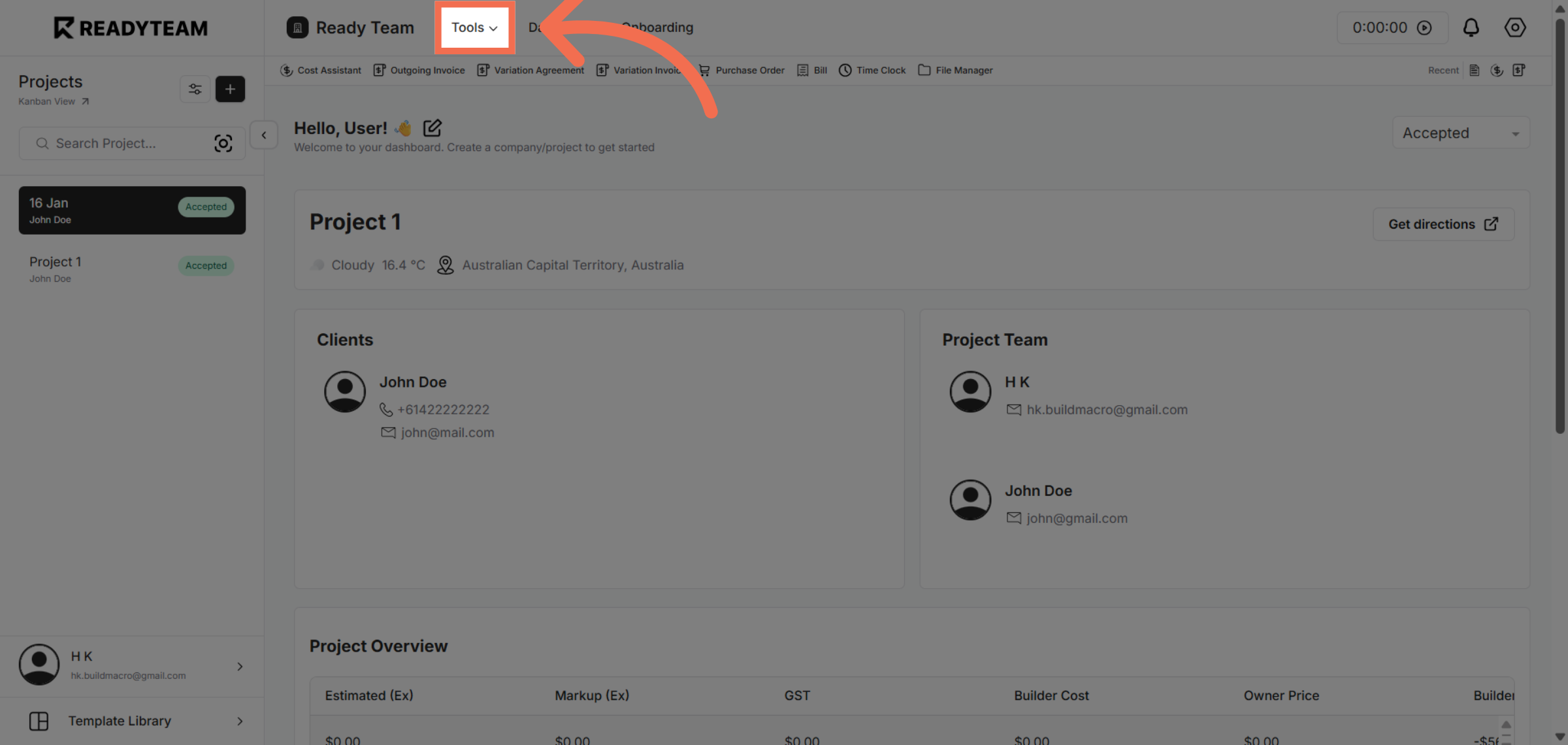
2. Open Tools Menu
Click the Tools menu to access additional features and settings within Readyteam.
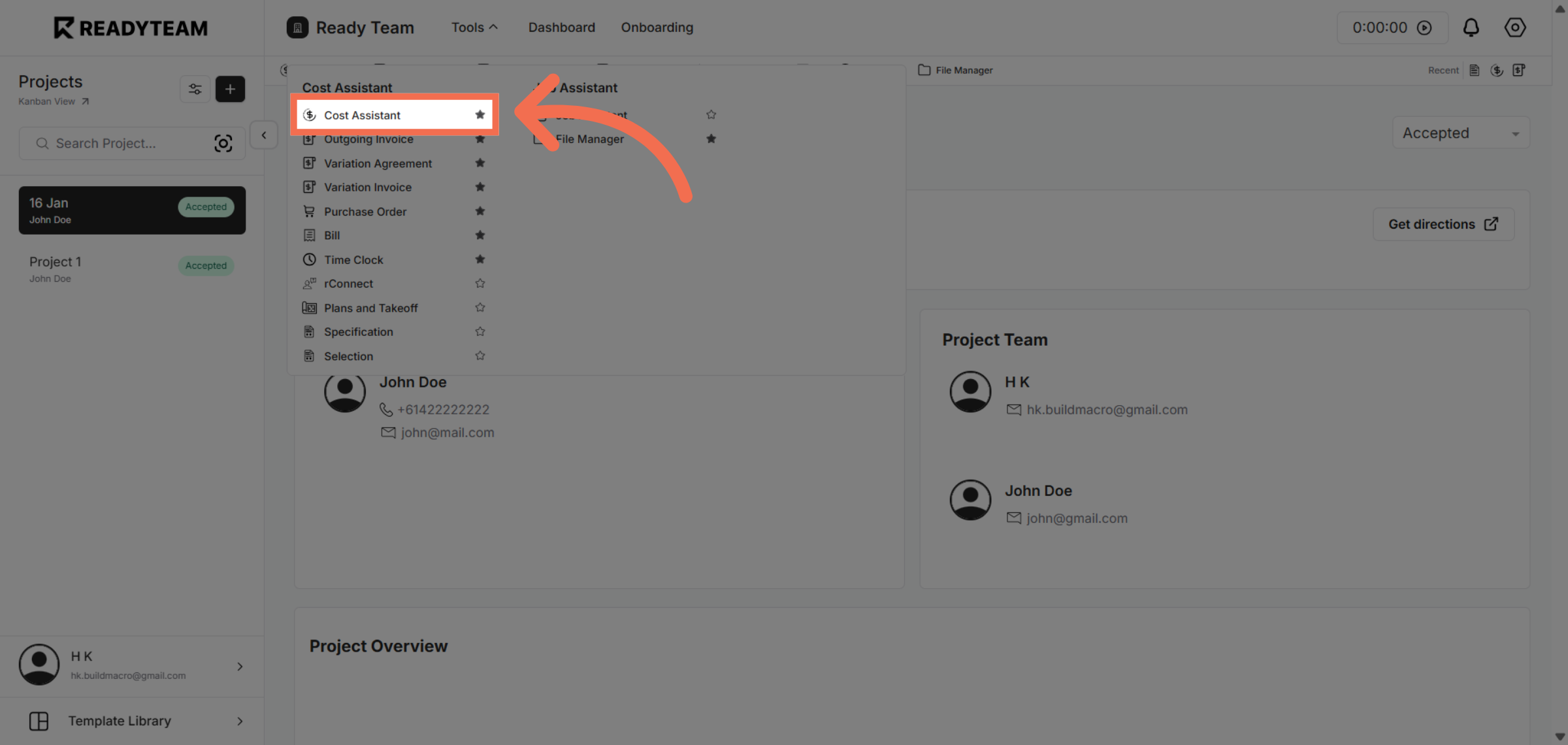
3. Access Cost Assistant
Click Cost Assistant to open the tool that helps manage and analyze cost-related data.
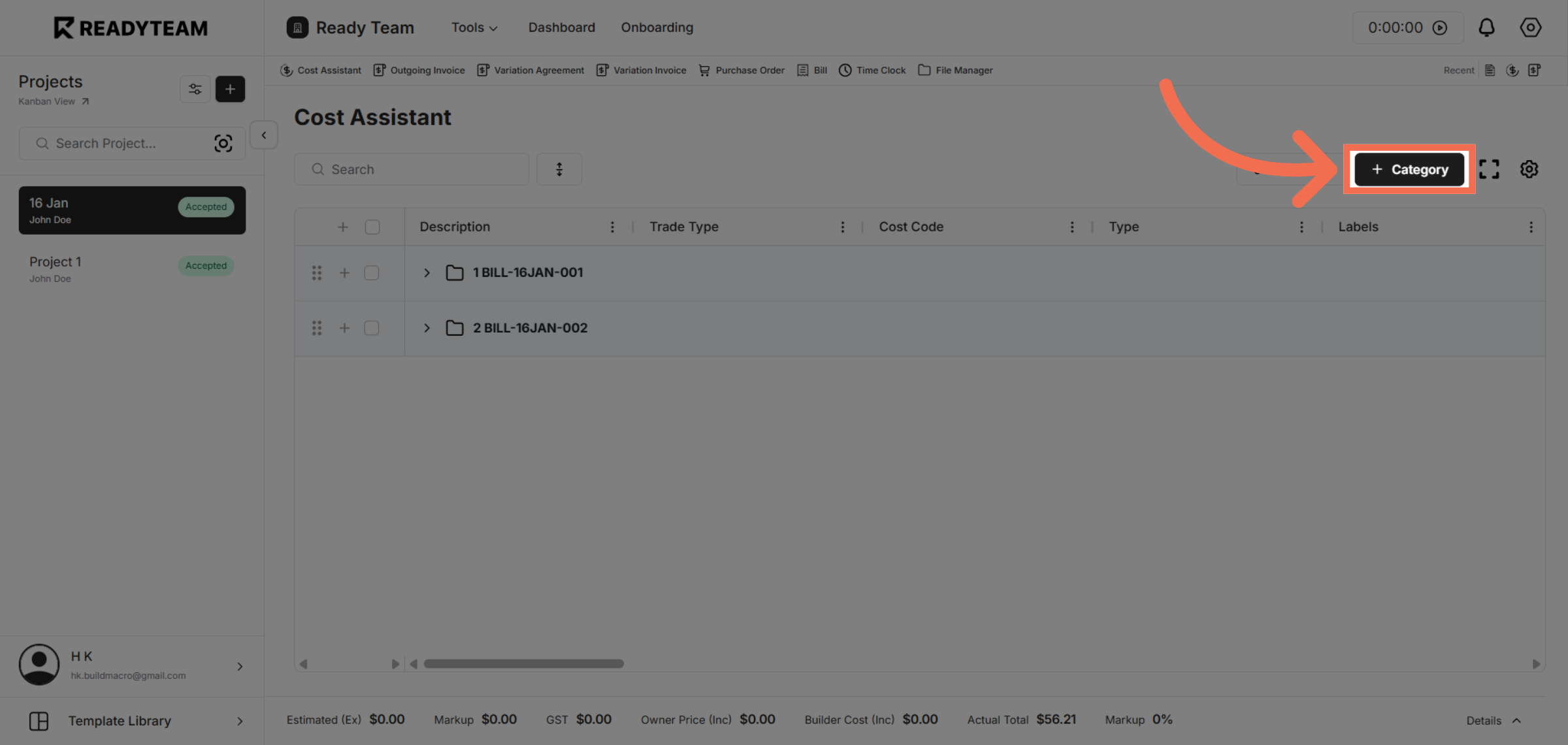
4. Navigate to Add Category Section
Click Category to create new ones.
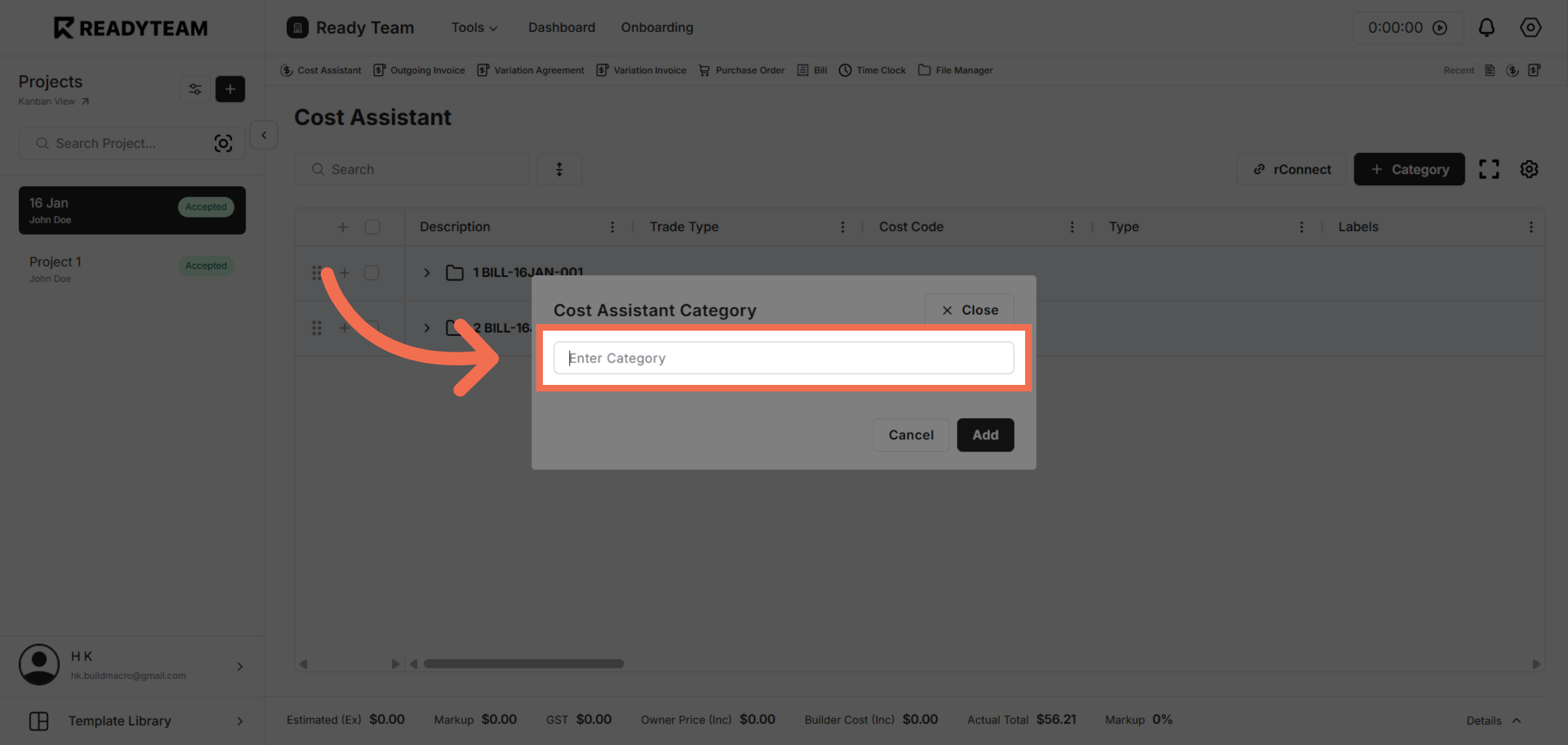
5. Enter New Category Field
Click the field labeled Enter Category to start adding a new category name.
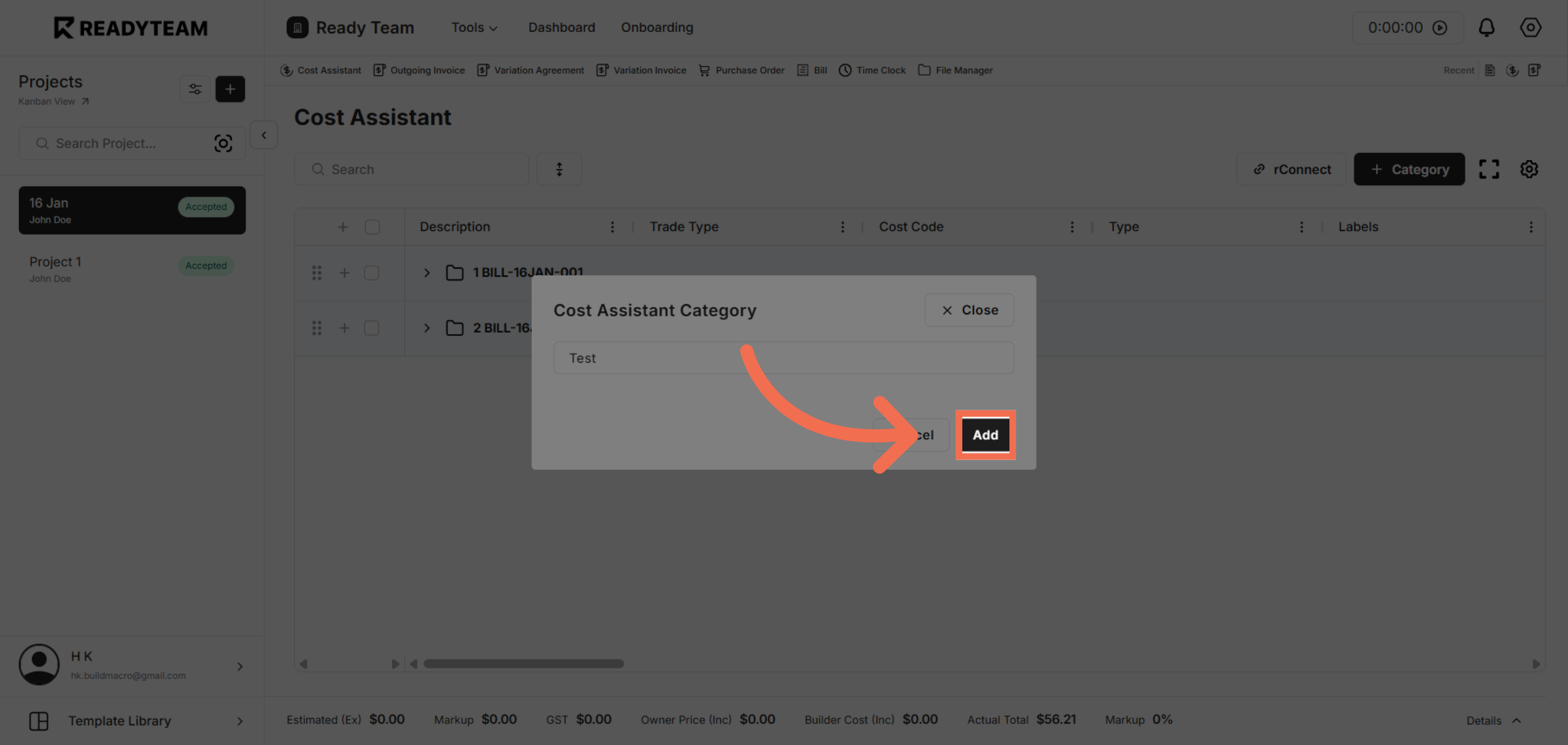
6. Add New Category
Click Add to save the new category and include it in your Readyteam data organization.
This demo demonstrated how to create a new category in Readyteam, helping you organize your data efficiently. Start using categories today to improve your workflow and data management.