Accept Projects Efficiently Using ReadyTeam
This demo showcases how you can accept projects within Readyteam to streamline your workflow.
Go to app.readyteam.ai
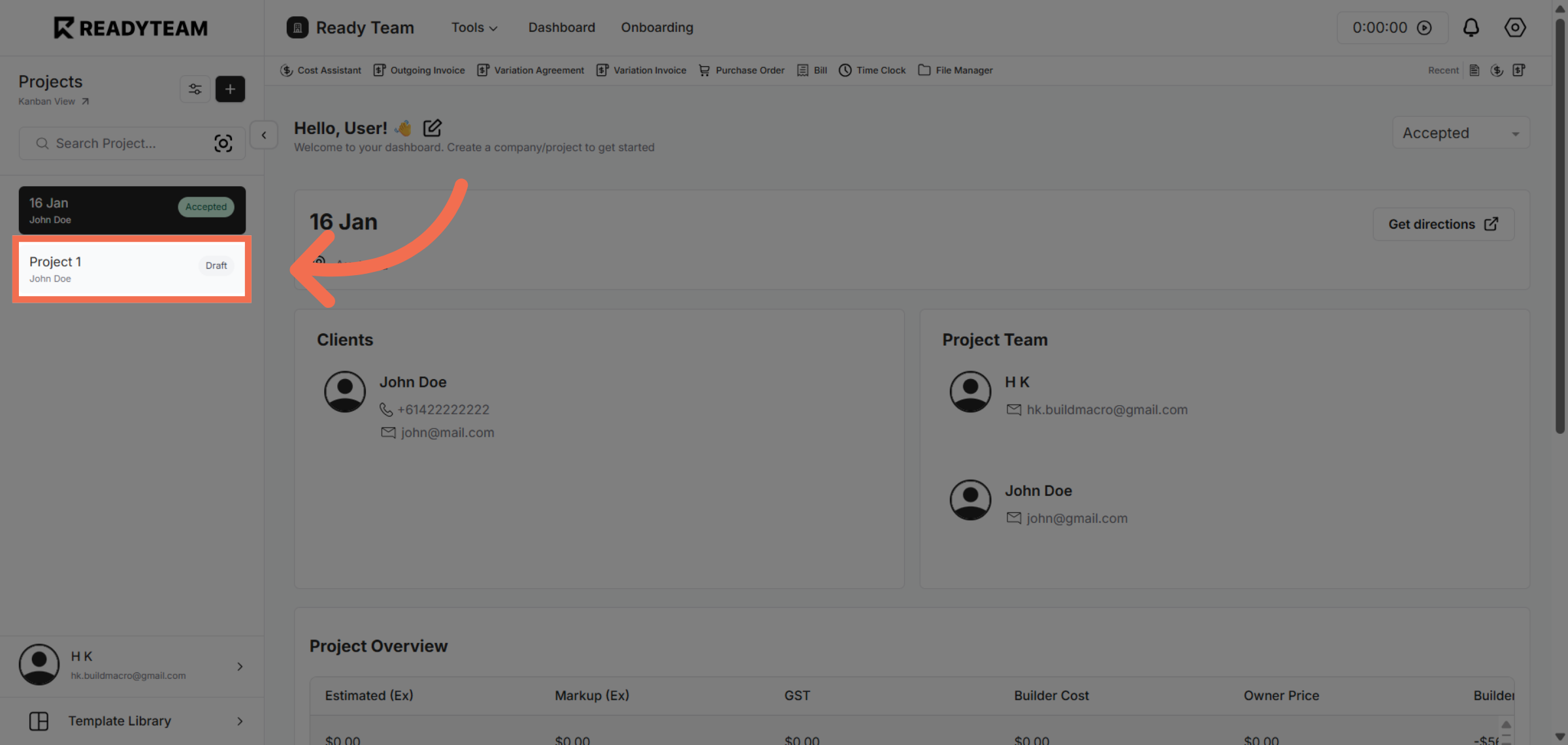
1. Select Specific Project
Click the specific project to open its details and prepare for acceptance.
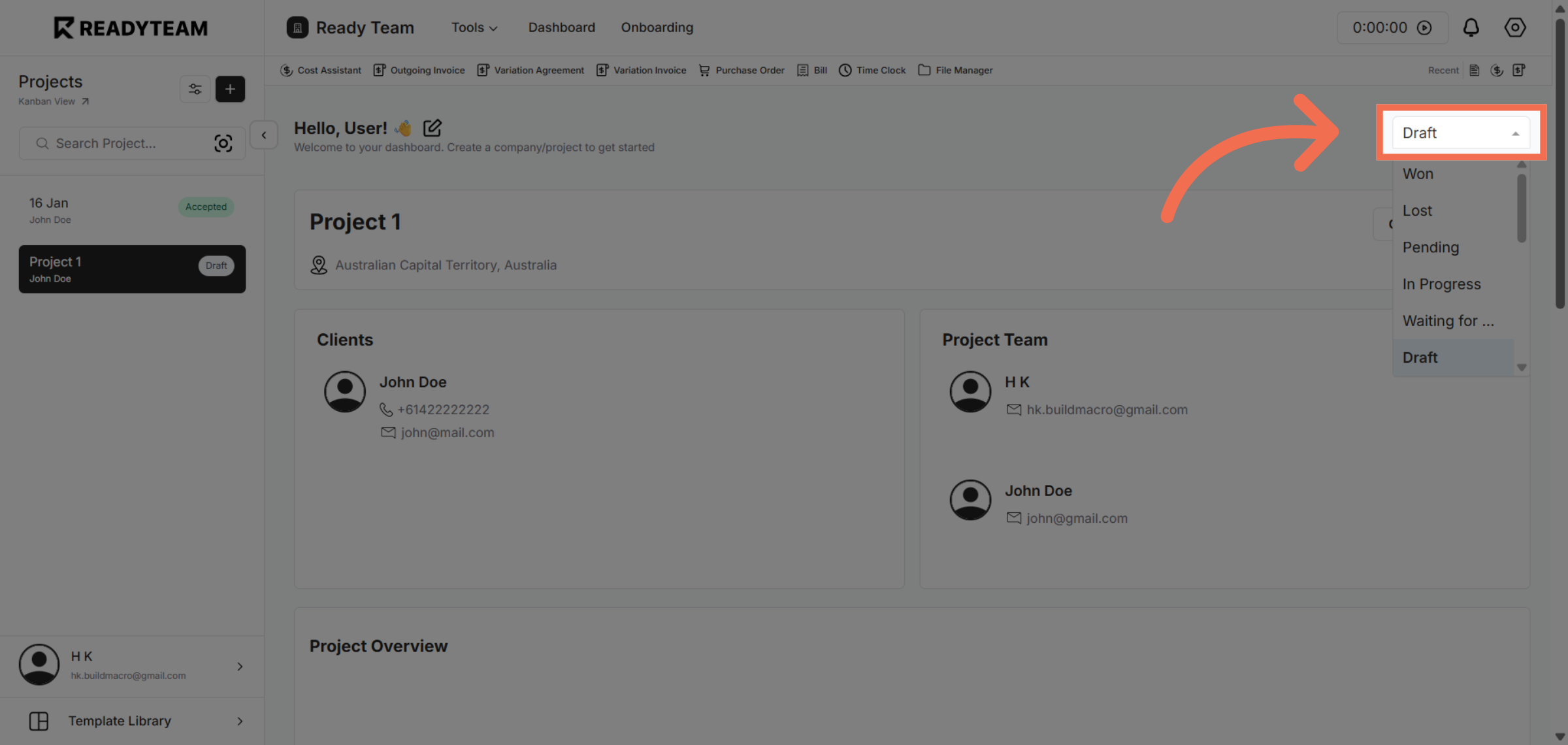
2. Open Status Options
Click the status dropdown or button to view available project status options for updating.
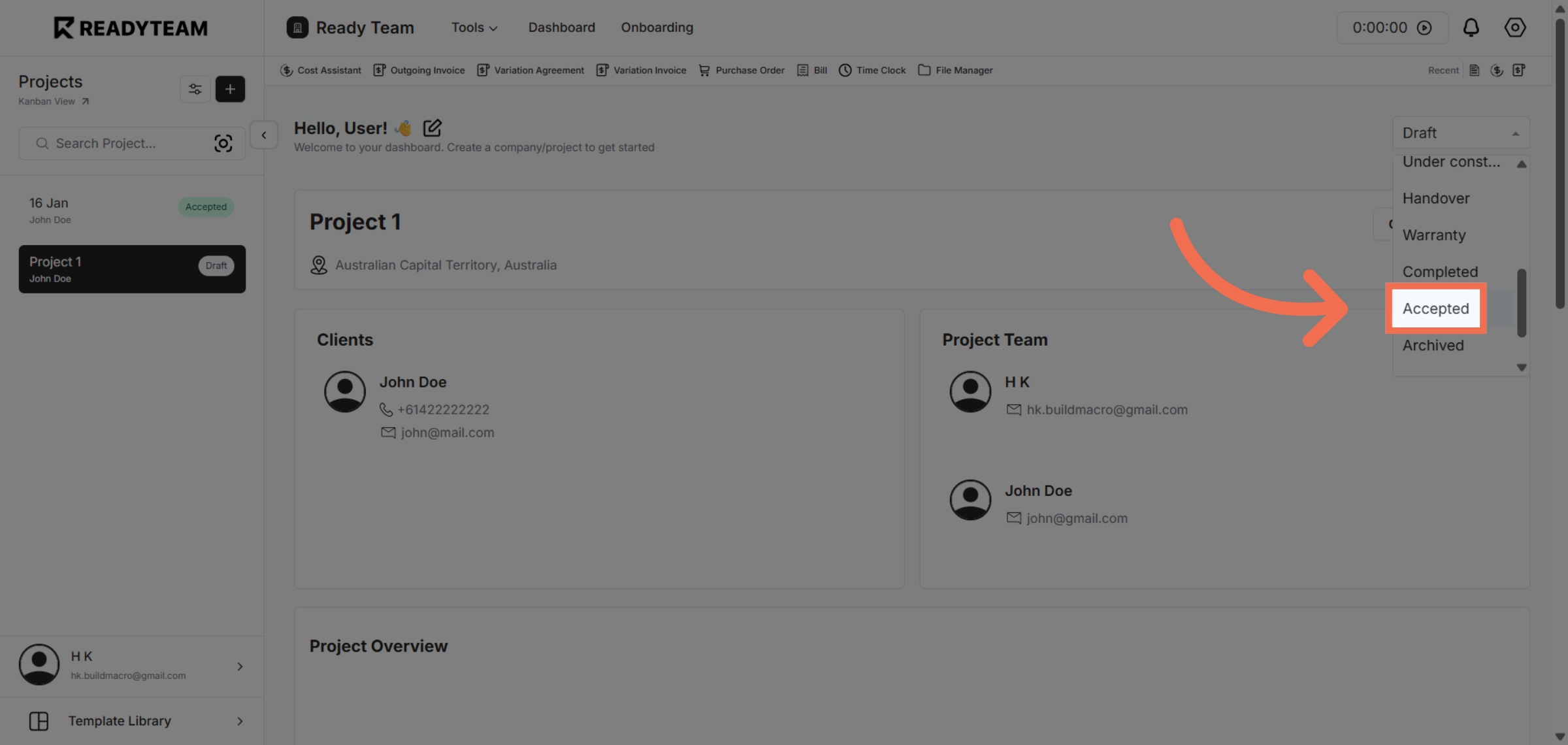
3. Choose Accepted Status
Select the accepted status to confirm your approval and move the project forward.
You have successfully accepted a project by selecting it, opening the status options, and confirming acceptance. This process helps you manage projects efficiently within Readyteam.