Upload Company Logo Using ReadyTeam
This demo showcases how to upload your company logo within the Readyteam platform
Go to app.readyteam.ai
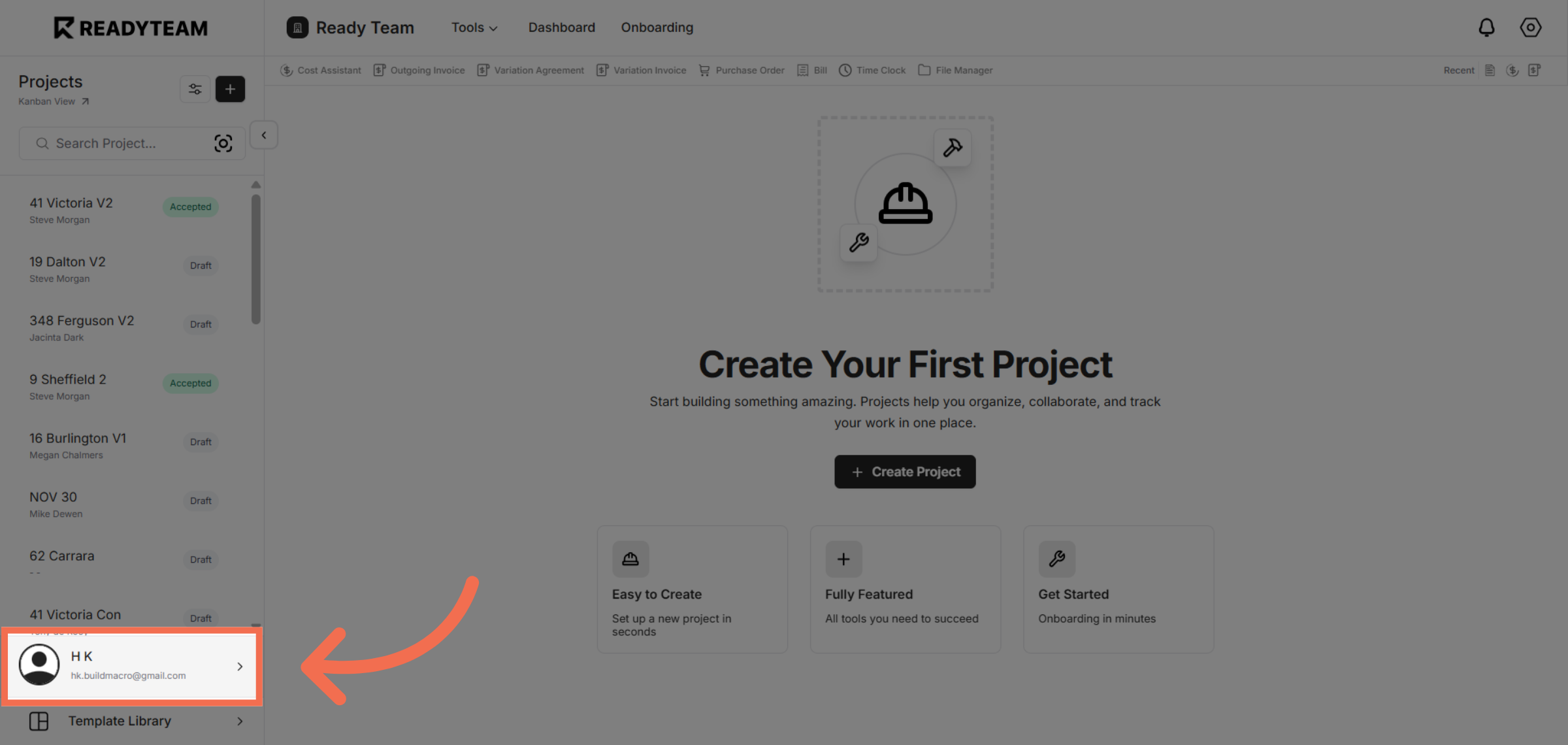
1. Select User Section
Click the user account to access your profile settings.
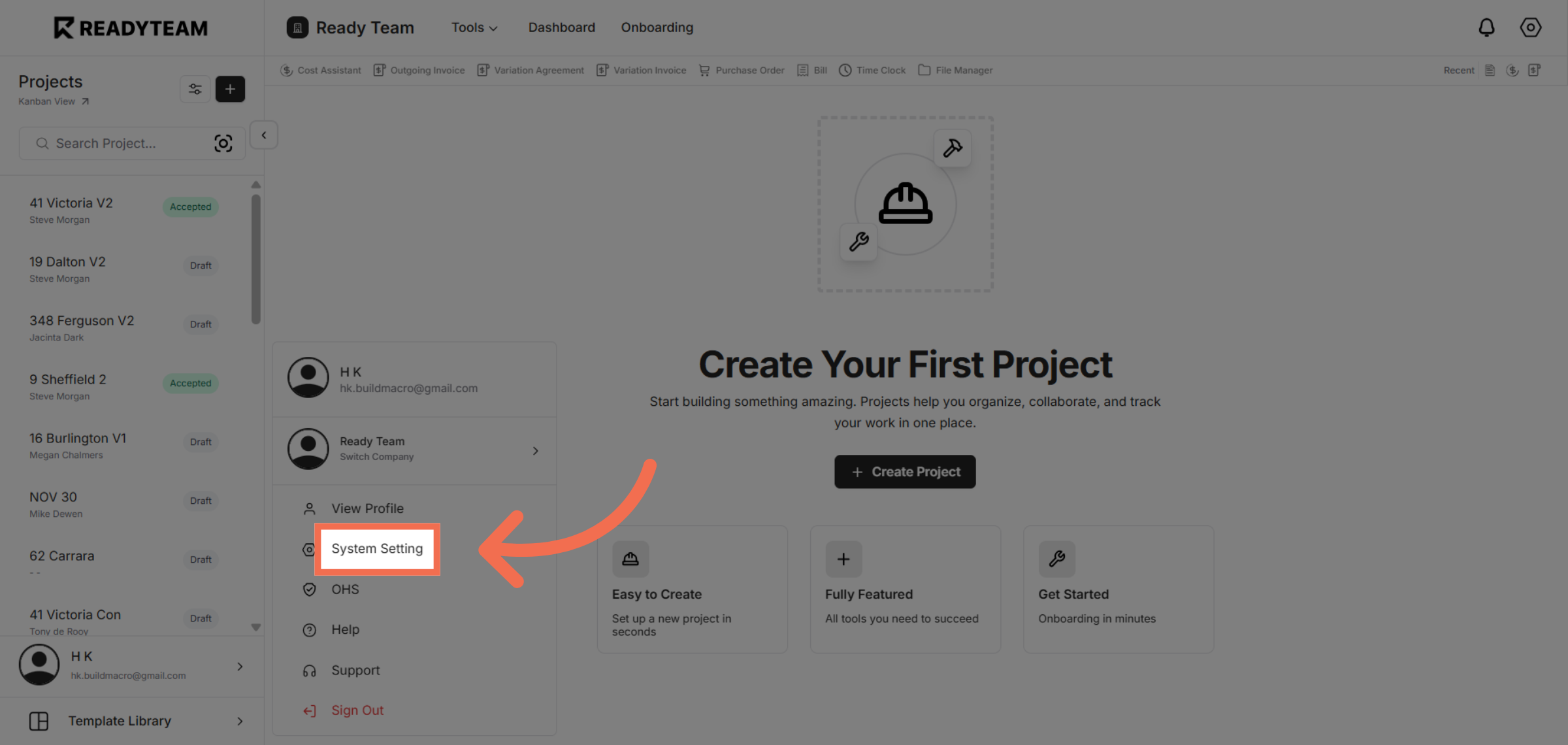
2. Open System Settings
Click System Setting to open the configuration options for your account.
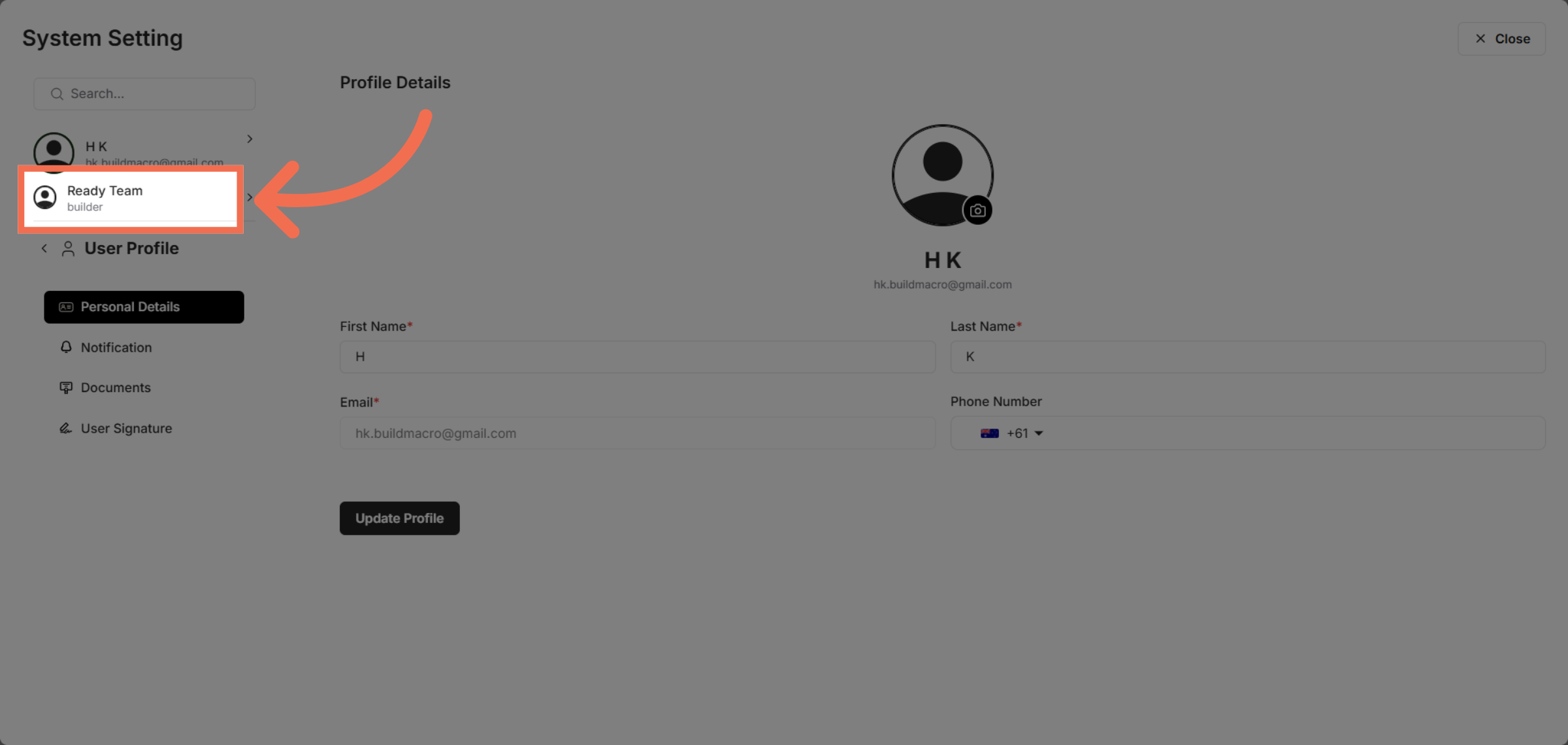
3. Access Company Section
Click Ready Team to navigate to the team management area where company details are managed.
4. Initiate Logo Upload
Click the designated area to start uploading your company logo.
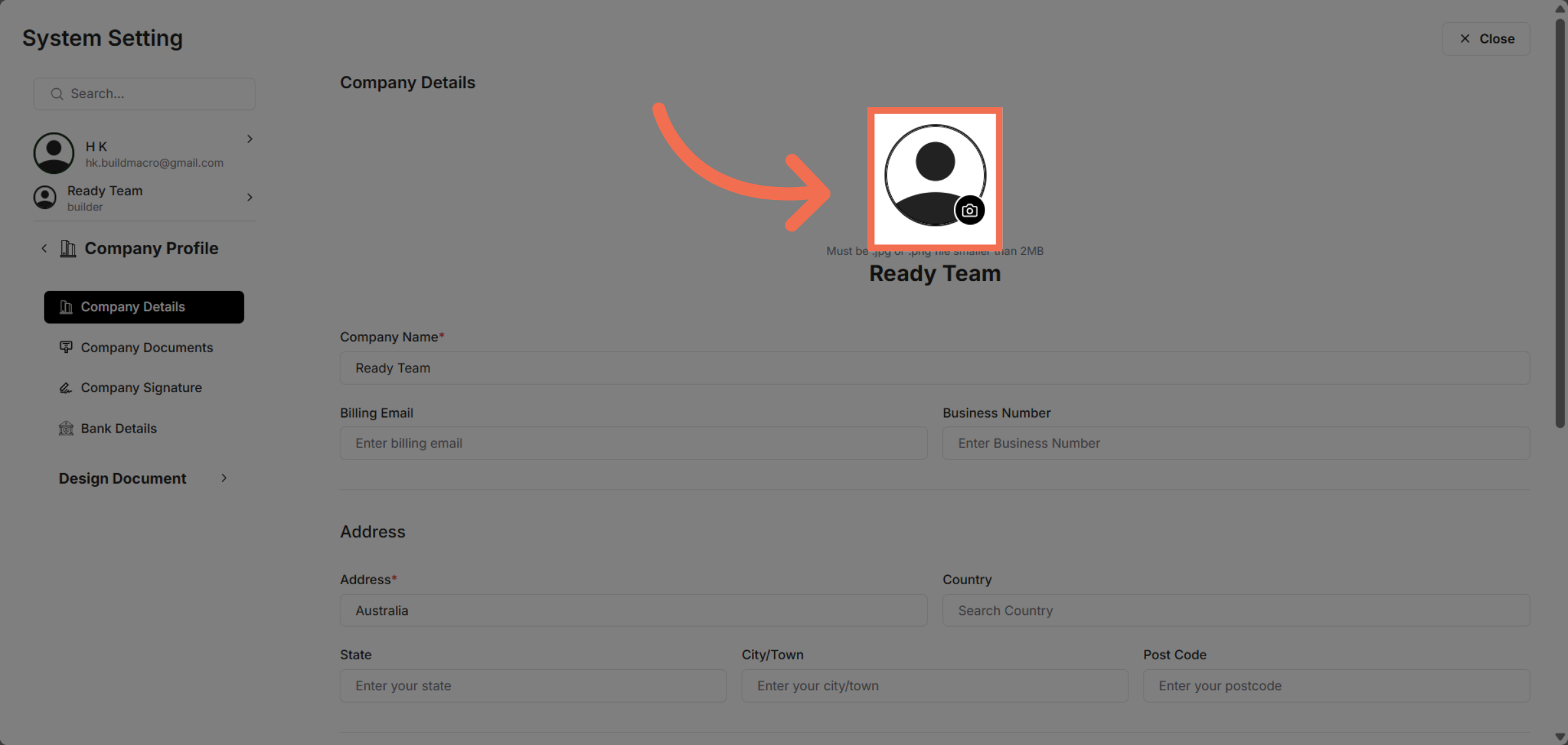
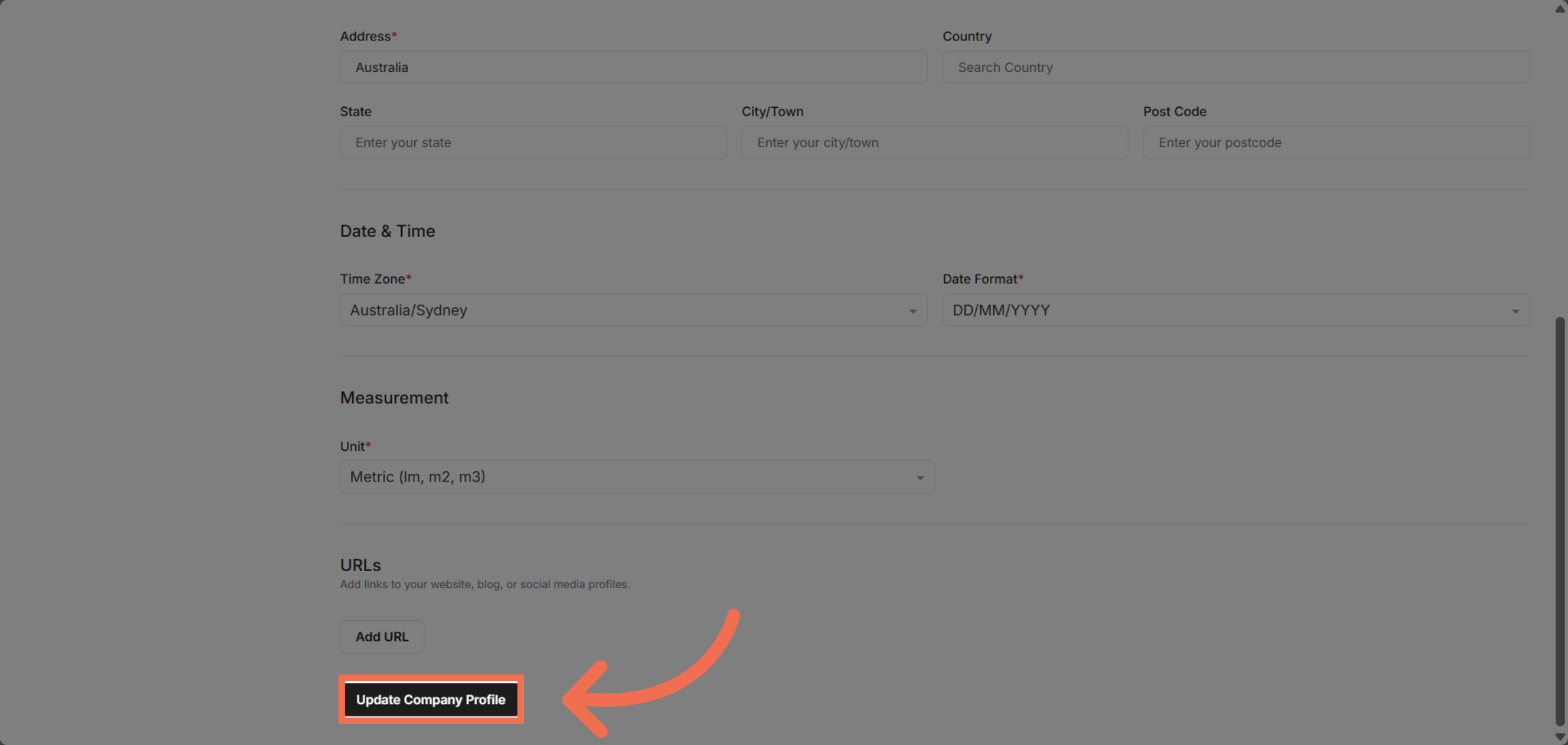
5. Update Company Profile
Click Update Company Profile to save the new logo and apply changes to your company information.
This demo demonstrated how to upload and update your company logo within Readyteam, helping you maintain a professional and personalized company profile.