Auto-Adjust Column Width Feature In AG Grid
This demo showcases how to automatically adjust column widths in AG Grid for better data visibility.
Go to app.readyteam.ai
1. Introduction
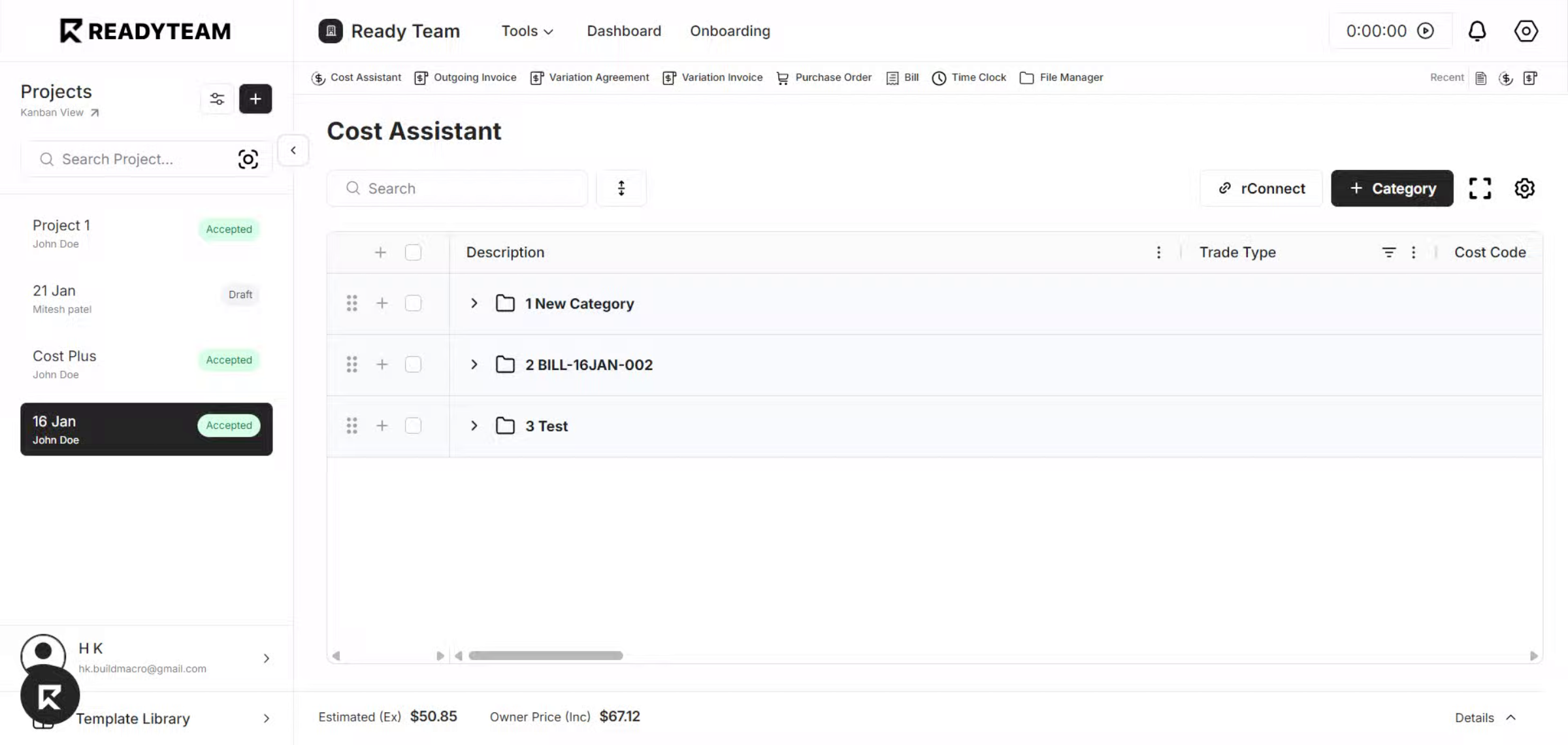
You'll see how this feature helps optimize your grid layout efficiently.
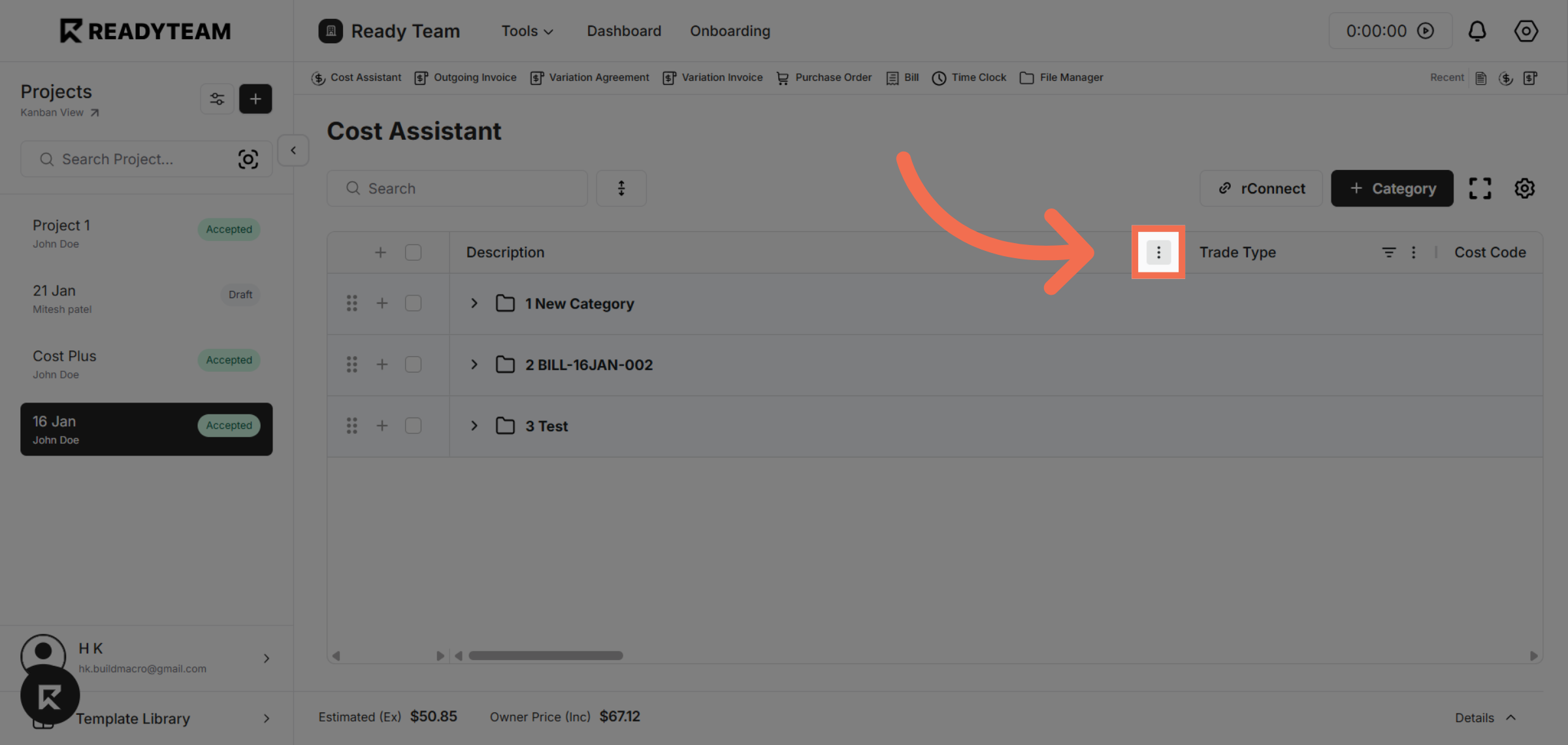
2. Open Column Menu
Click the column menu to access column options.
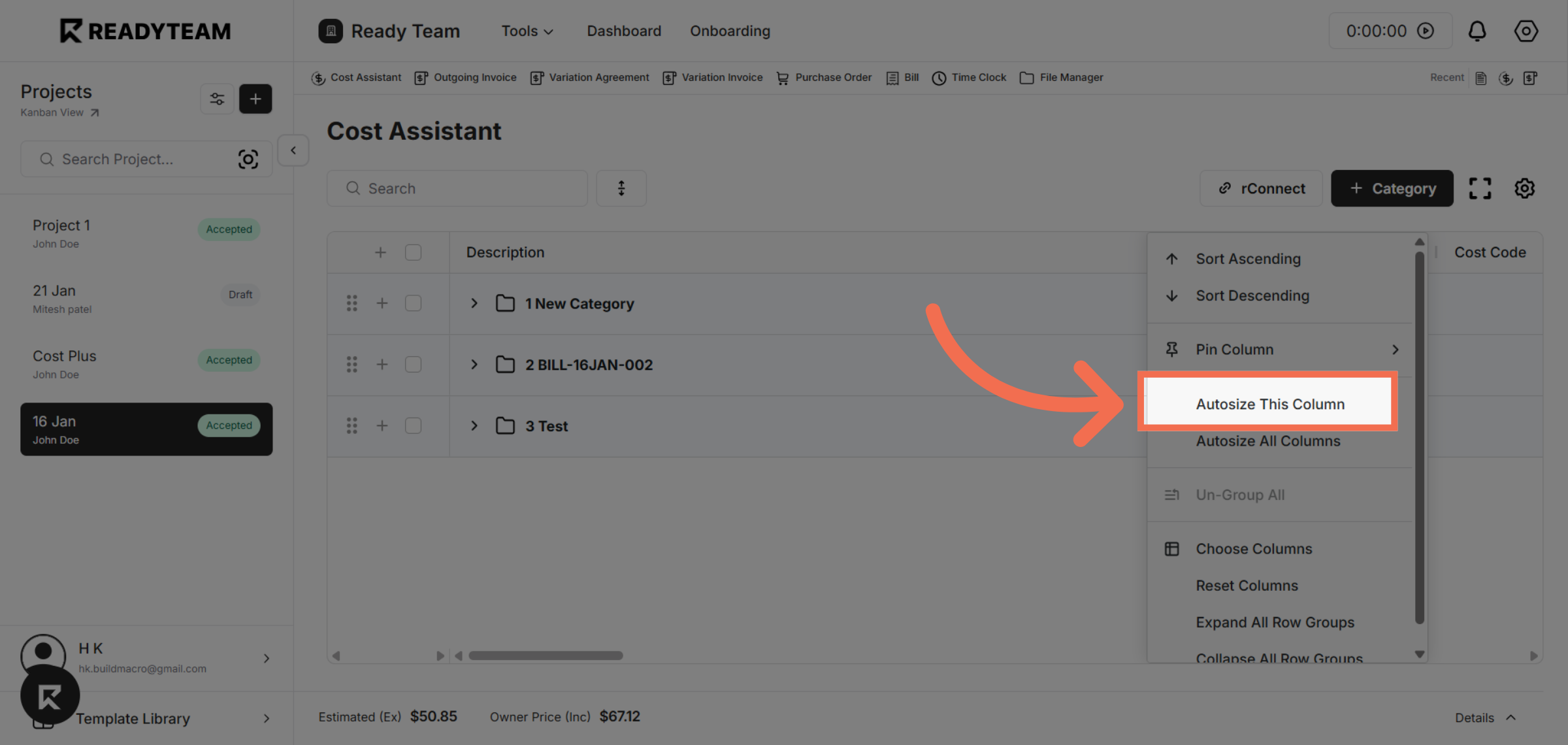
3. Select Auto size Column
Click "Autosize This Column" to automatically adjust the column width to fit its content.
This demo demonstrated how to auto-adjust column widths in AG Grid, enhancing readability and saving you time managing your data display.