Integrate Outlook Email With ReadyTeam

This demo showcases how to integrate your Outlook email account with ReadyTeam to streamline your communication workflow.
Go to app.readyteam.ai
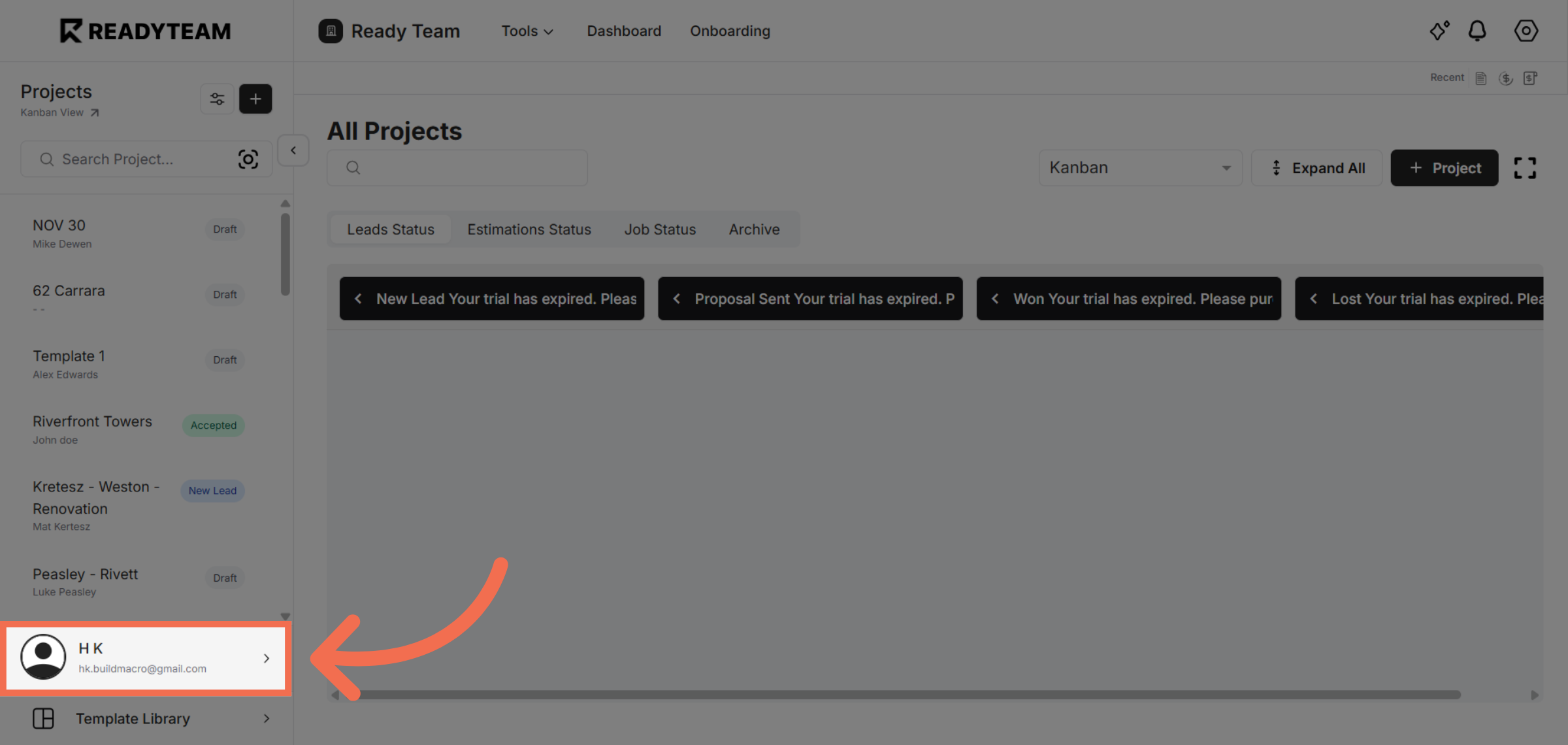
1. Open User Section
Open user section to begin the integration process with ReadyTeam.
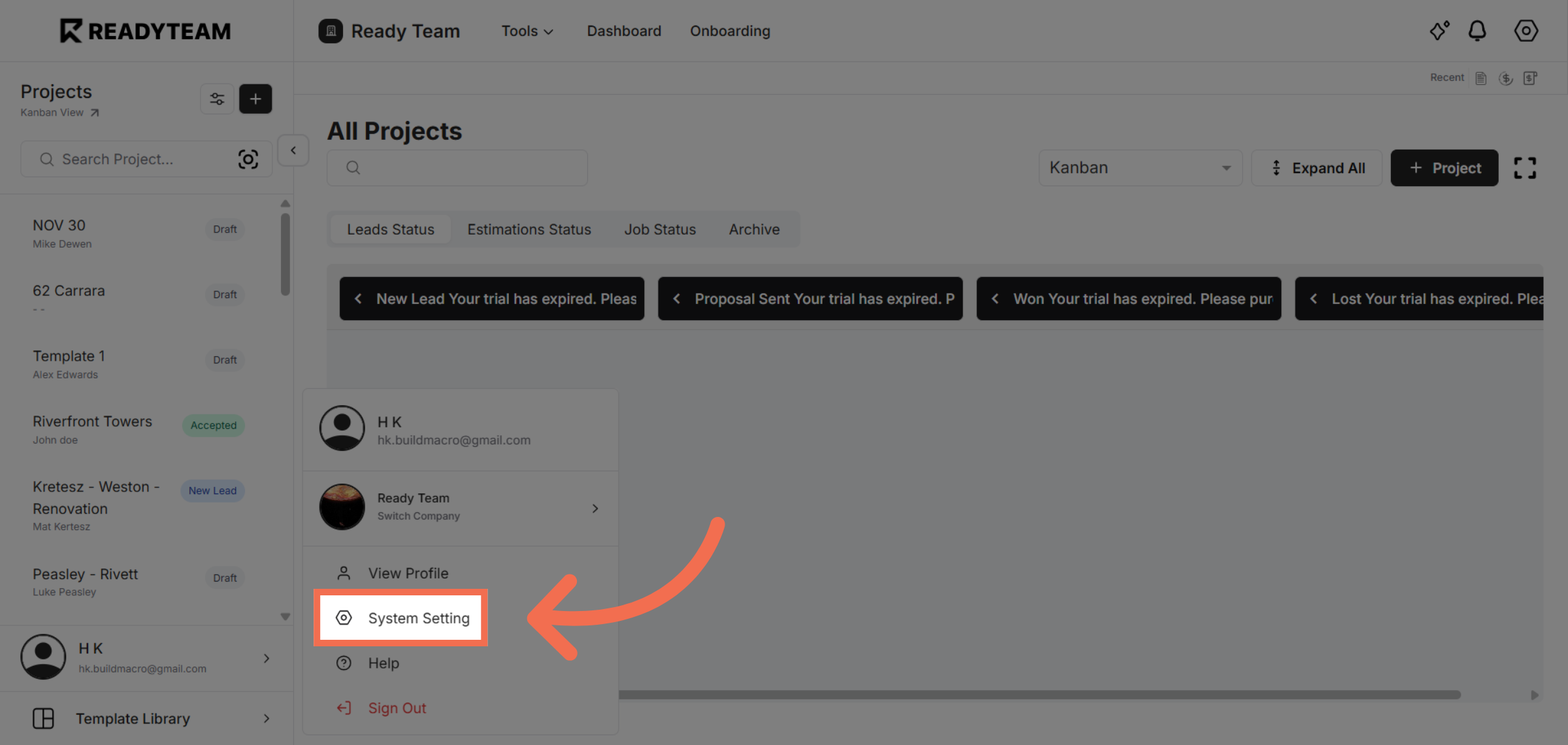
2. Open System Settings
Navigate to the System Setting section to access integration options.
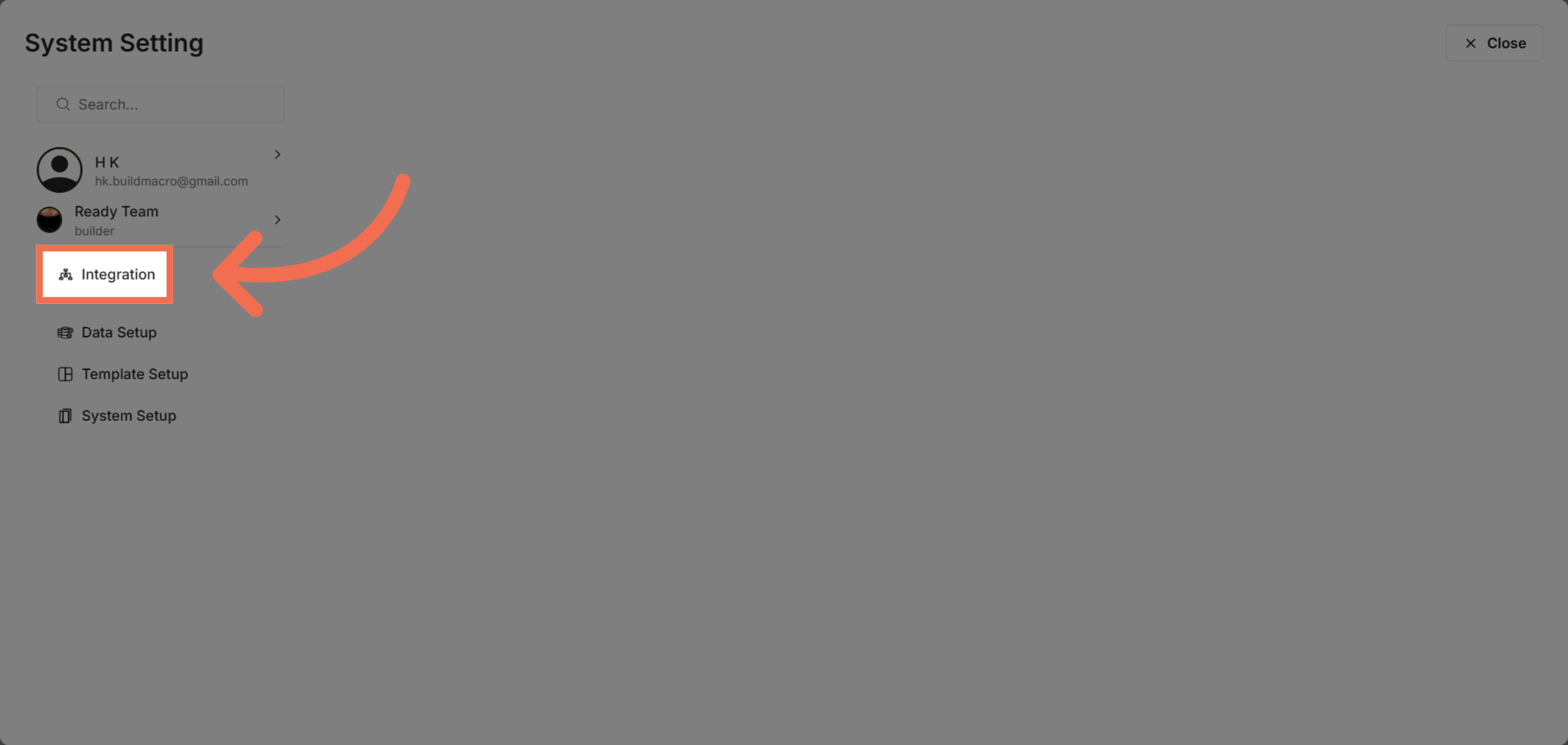
3. Access Integration Menu
Click on Integration to view available third-party connection settings.
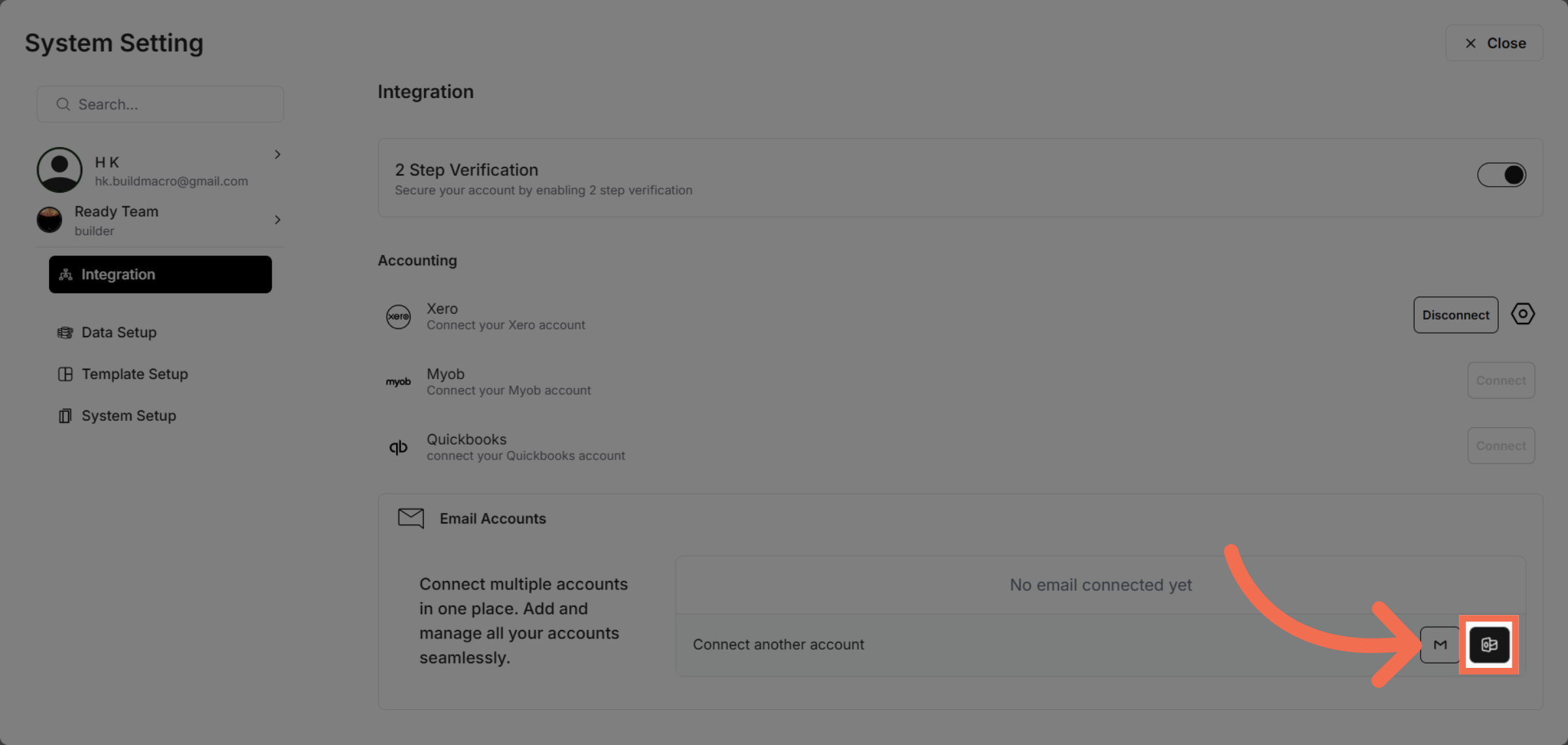
4. Initiate Outlook Integration
Click the designated area to start linking your Outlook email with ReadyTeam.
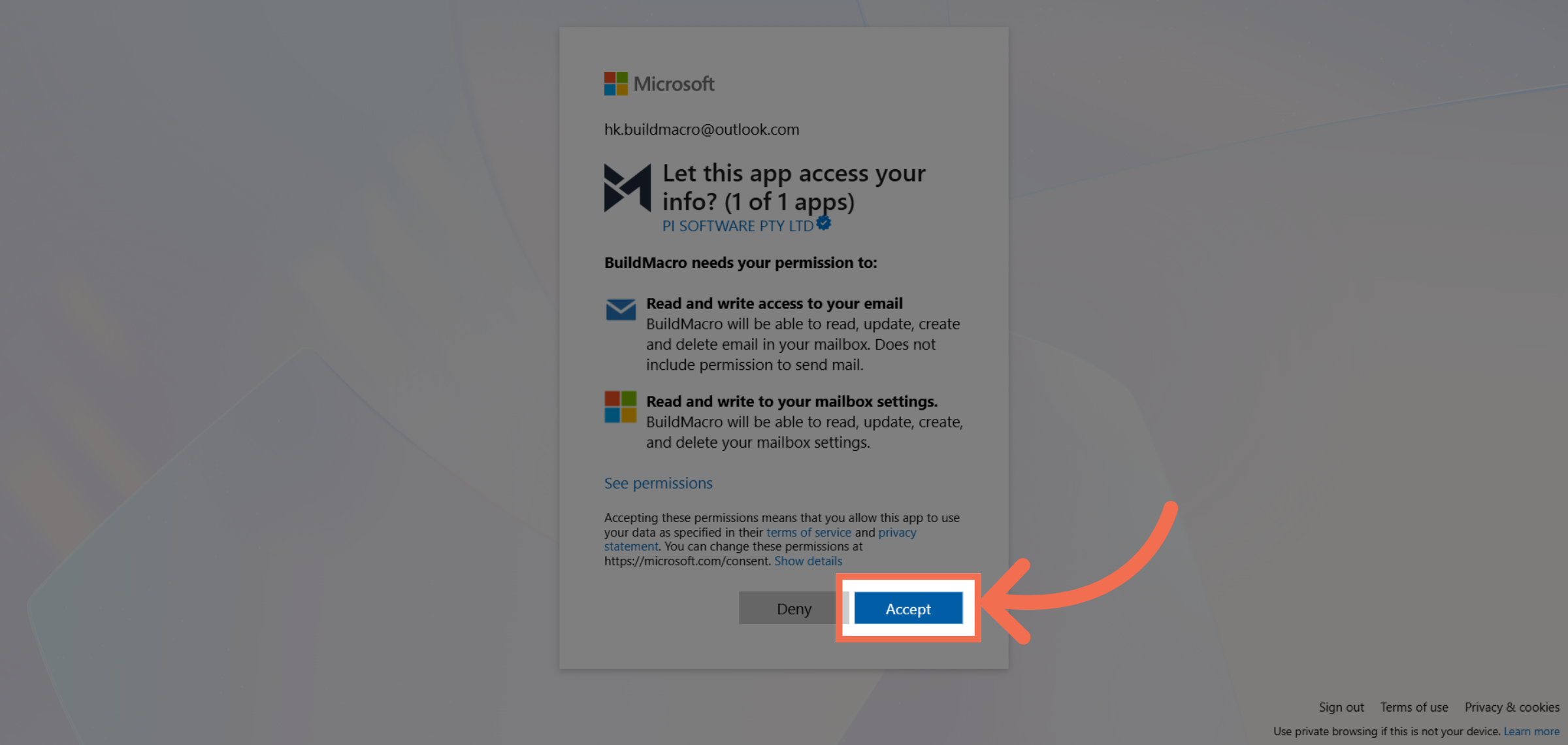
5. Accept Permissions
Click Accept to allow ReadyTeam to read and write access to your email.
You have successfully integrated your Outlook email with ReadyTeam, enabling seamless email management within the platform. Start leveraging this connection to enhance your productivity and streamline communication today.