Push Invoices Efficiently Using ReadyTeam
This demo showcases how to push an invoice using Readyteam's platform
Go to app.readyteam.ai
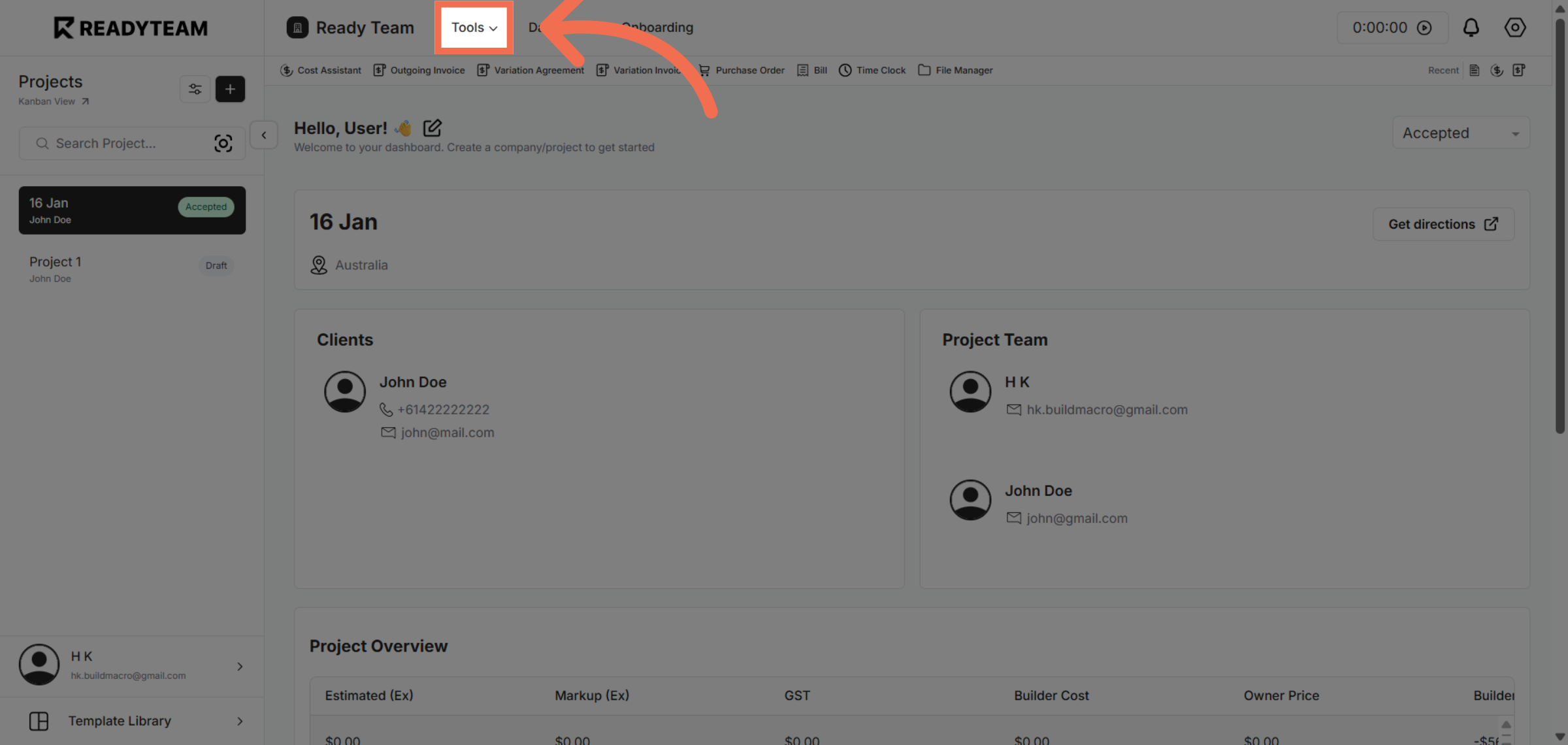
1. Access Tools Menu
Click the Tools menu to begin managing your invoices and access related features.
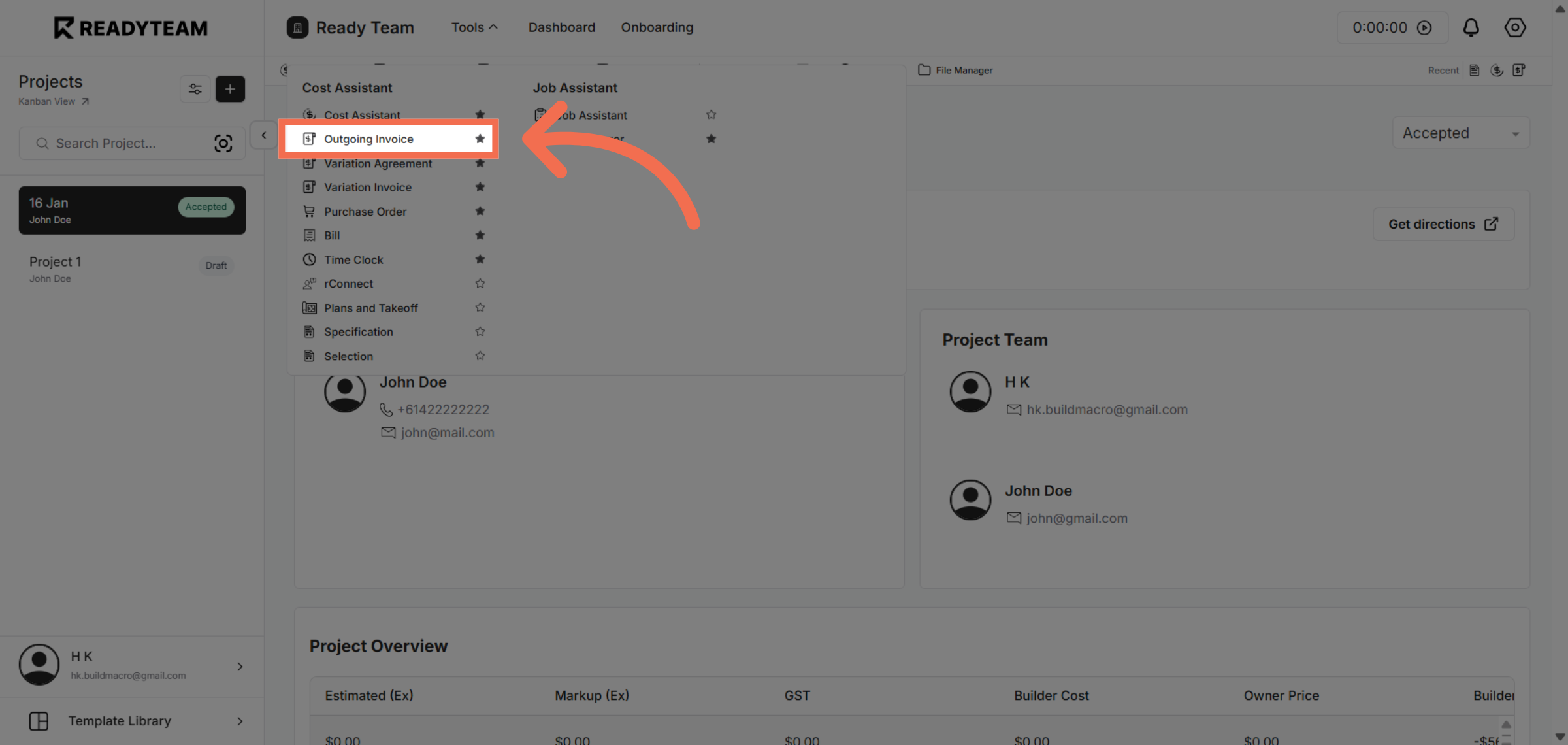
2. Open Outgoing Invoice Section
Click the Outgoing Invoice option to view invoices ready for processing and pushing.
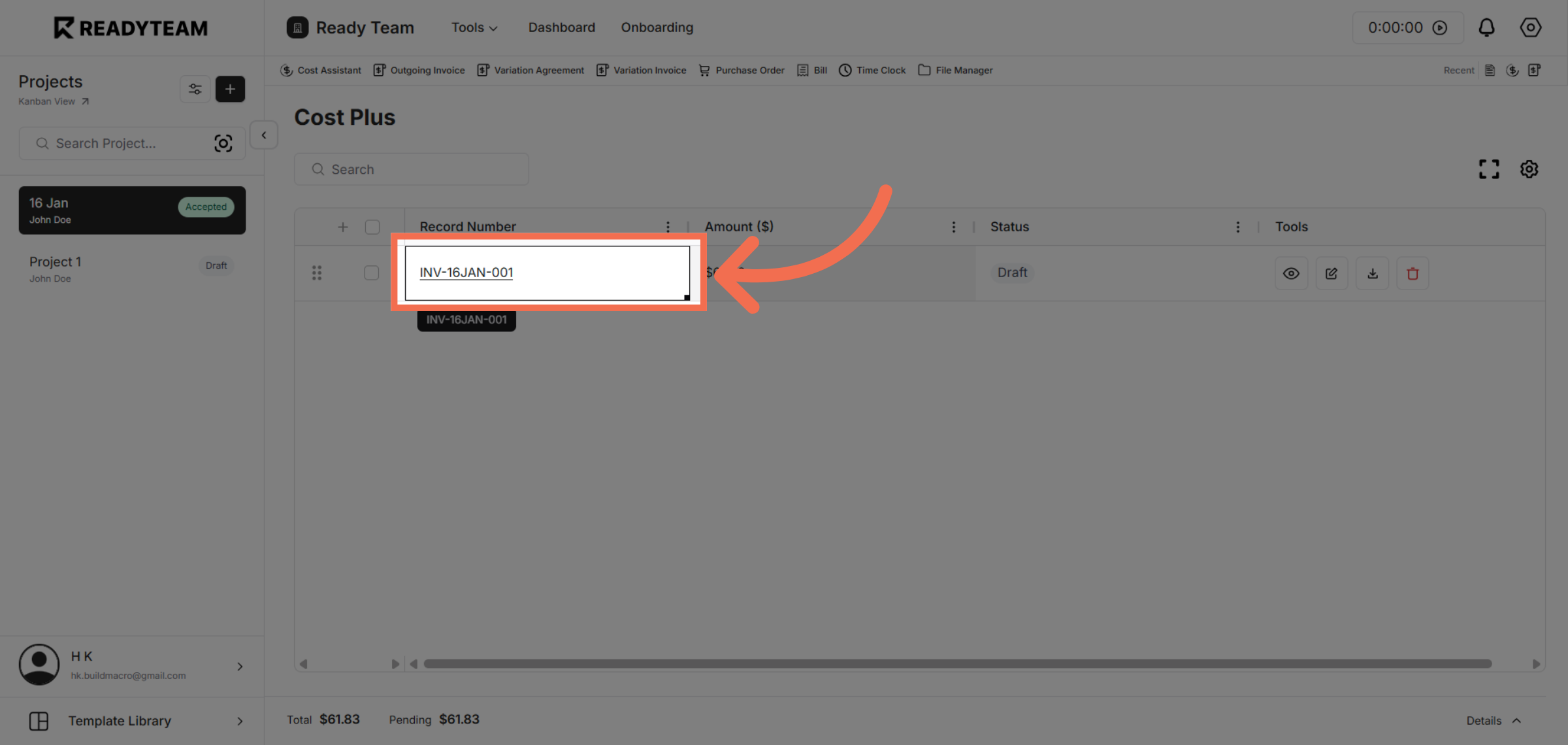
3. Select Specific Invoice
Click the invoice labeled INV-16JAN-001 to review its details before pushing it.
4. Push Invoice to Accounting
Click the xero option to push the selected invoice directly to your accounting software for processing.
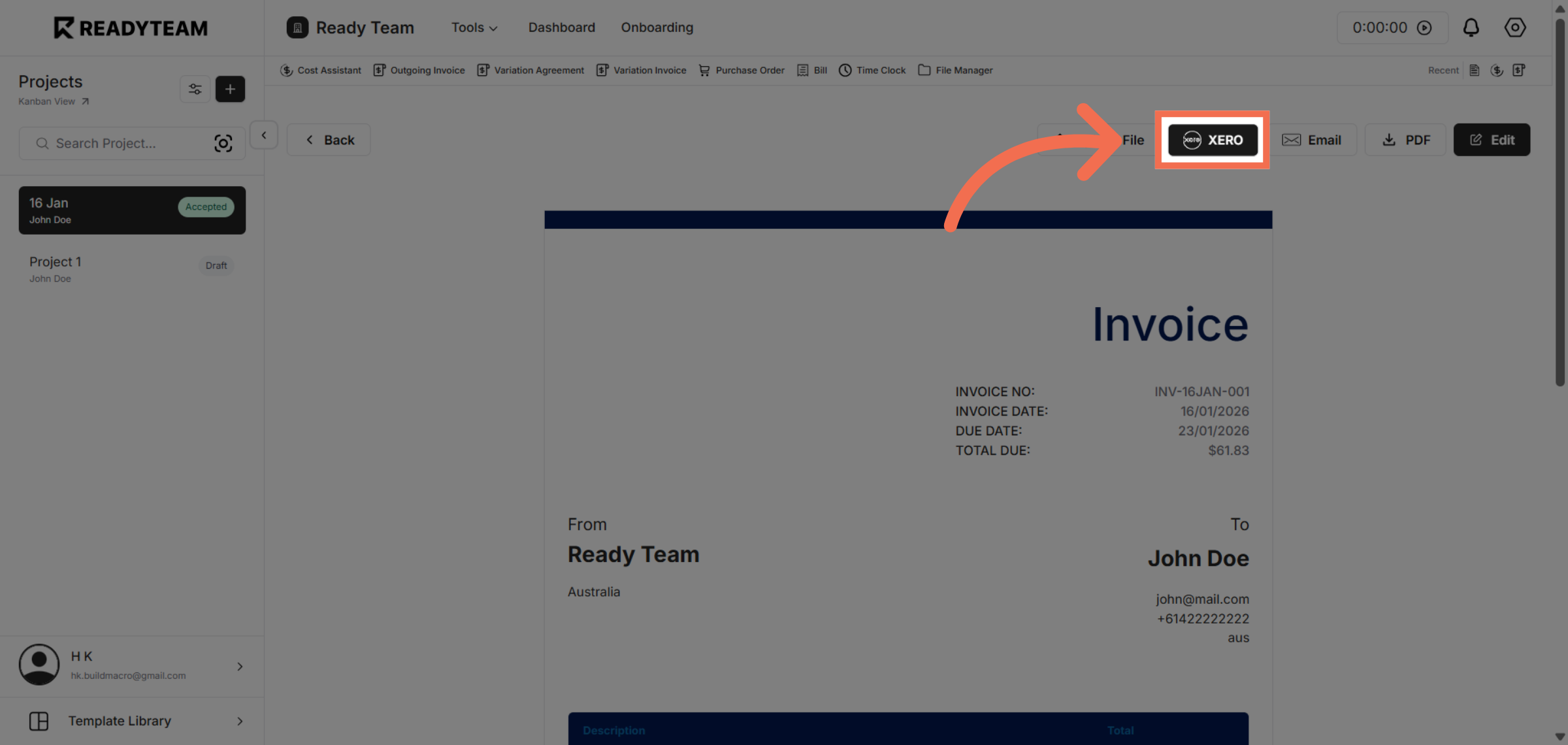
You have successfully pushed an invoice from Readyteam to your accounting software, streamlining your billing process and ensuring accurate financial records.