Push Bills Efficiently Using ReadyTeam Tools
This demo showcases how to push bills within Readyteam to streamline your billing process
Go to app.readyteam.ai
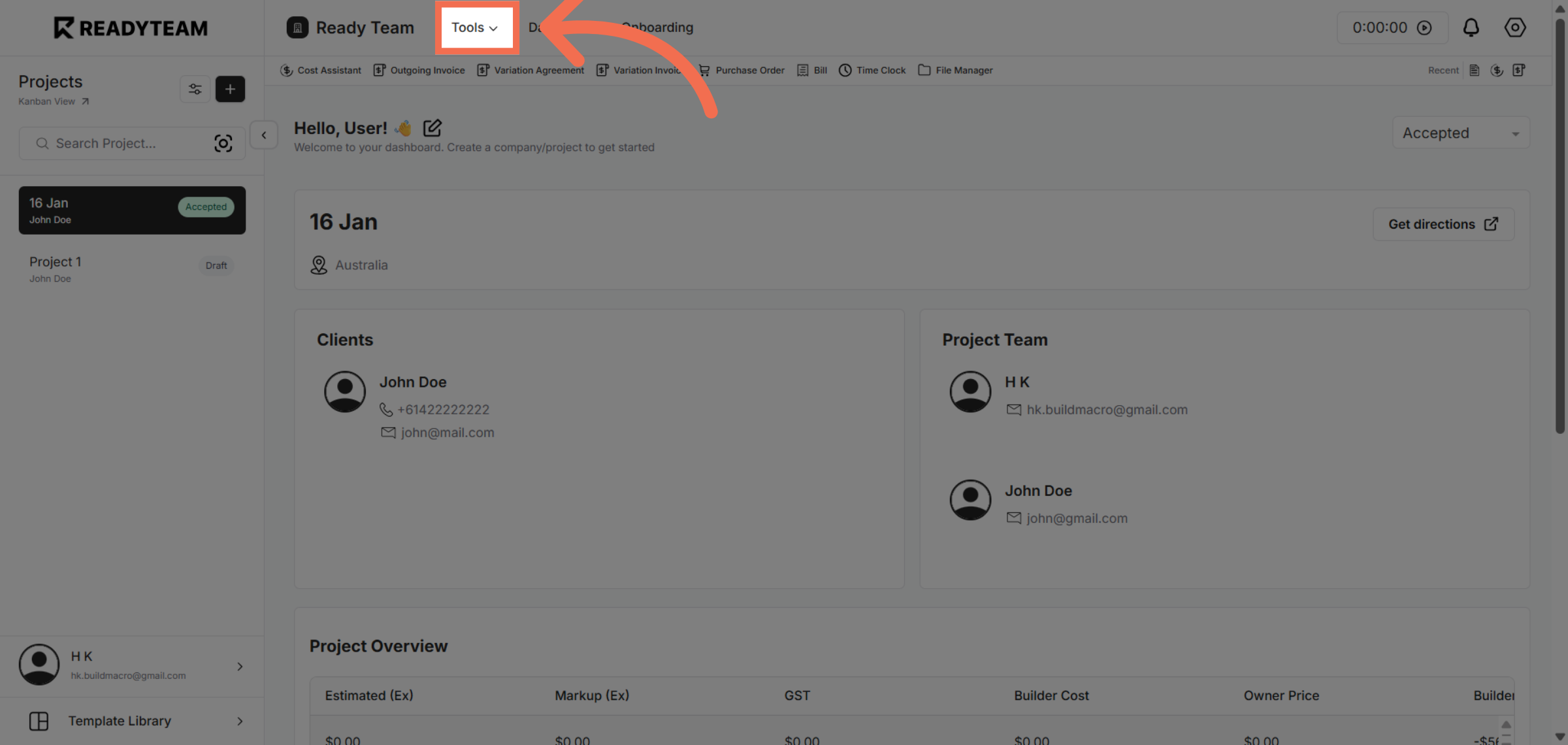
1. Access Tools Menu
Click the Tools menu to begin managing your billing options within Readyteam.
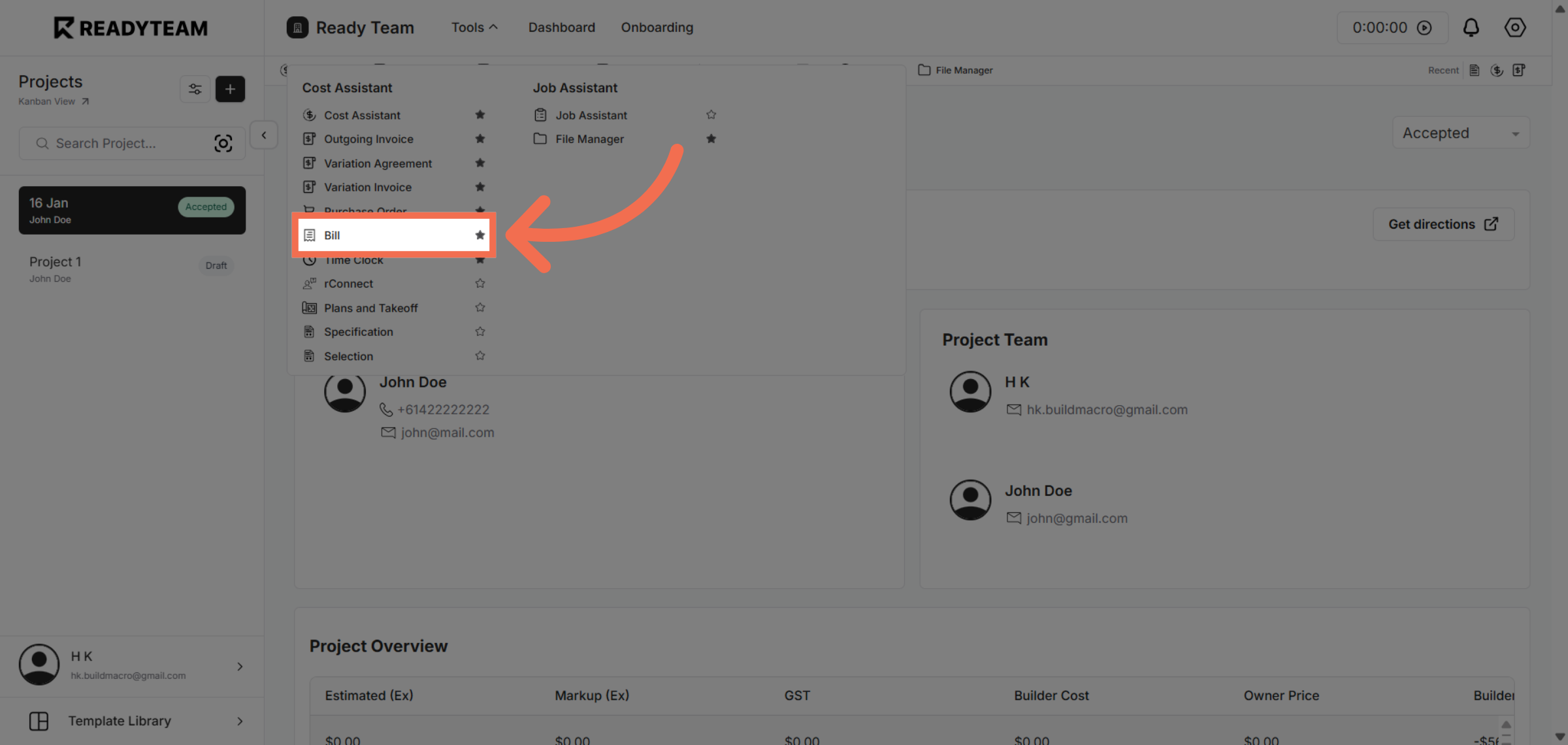
2. Open Bill Section
Click the Bill option to view and handle your billing documents.
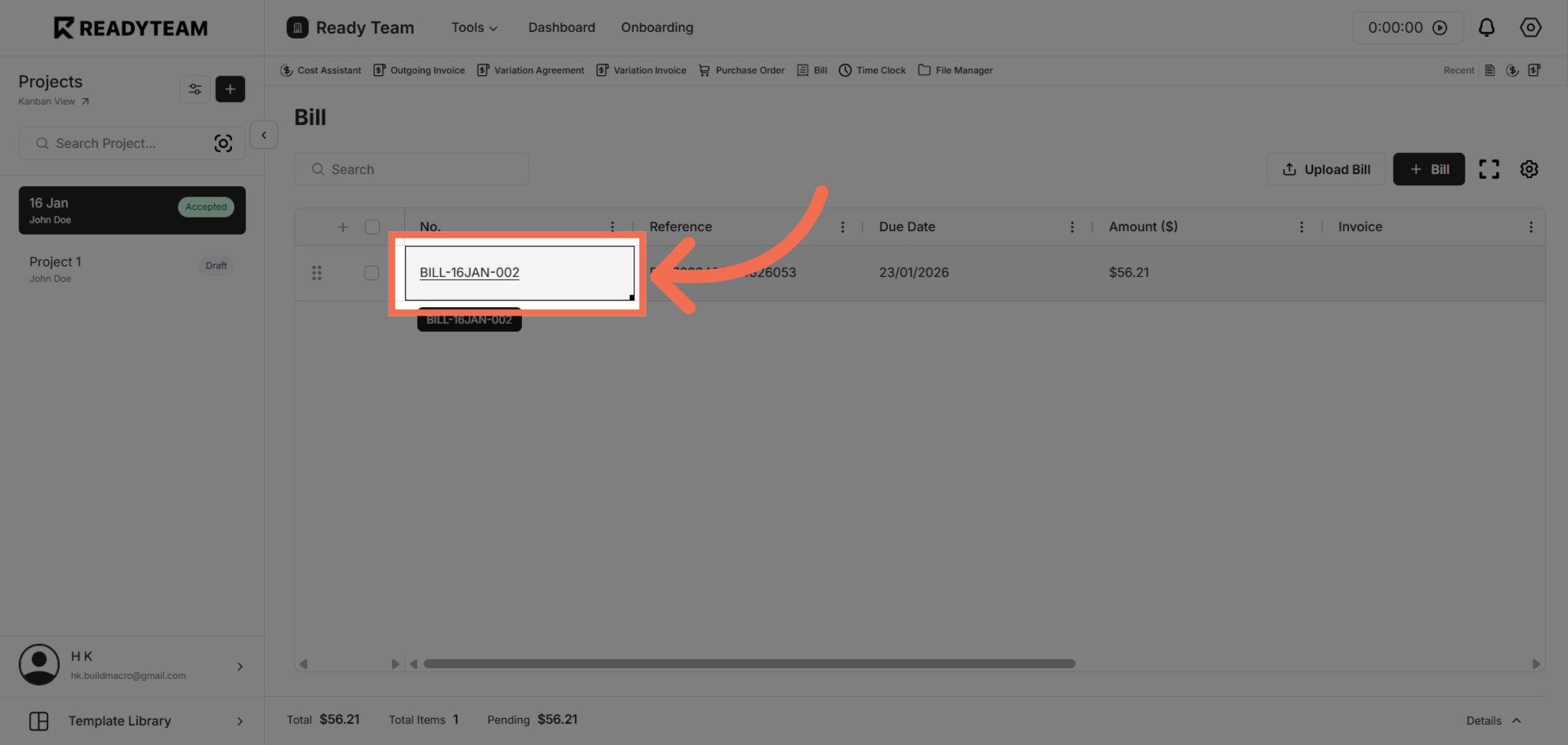
3. Select Specific Bill
Click the bill labeled BILL-16JAN-002 to review its details and prepare it for processing.
4. Push Bill to Xero
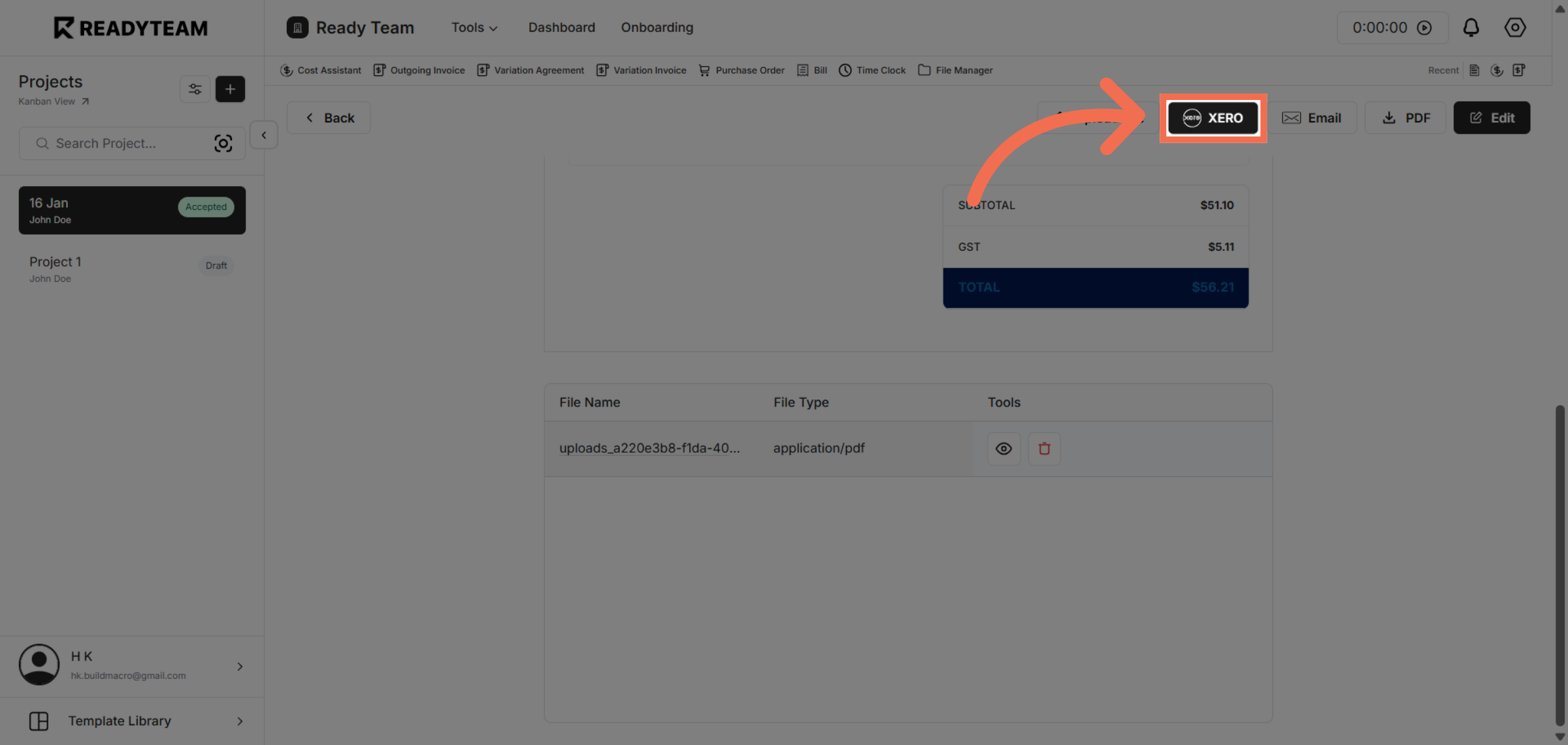
Click the xero button to push the selected bill into your Xero accounting system for further handling.
You have successfully pushed a bill from Readyteam to Xero, simplifying your billing workflow. This process helps ensure your financial data stays synchronized and up to date.